How to Build a Website With AI
In short
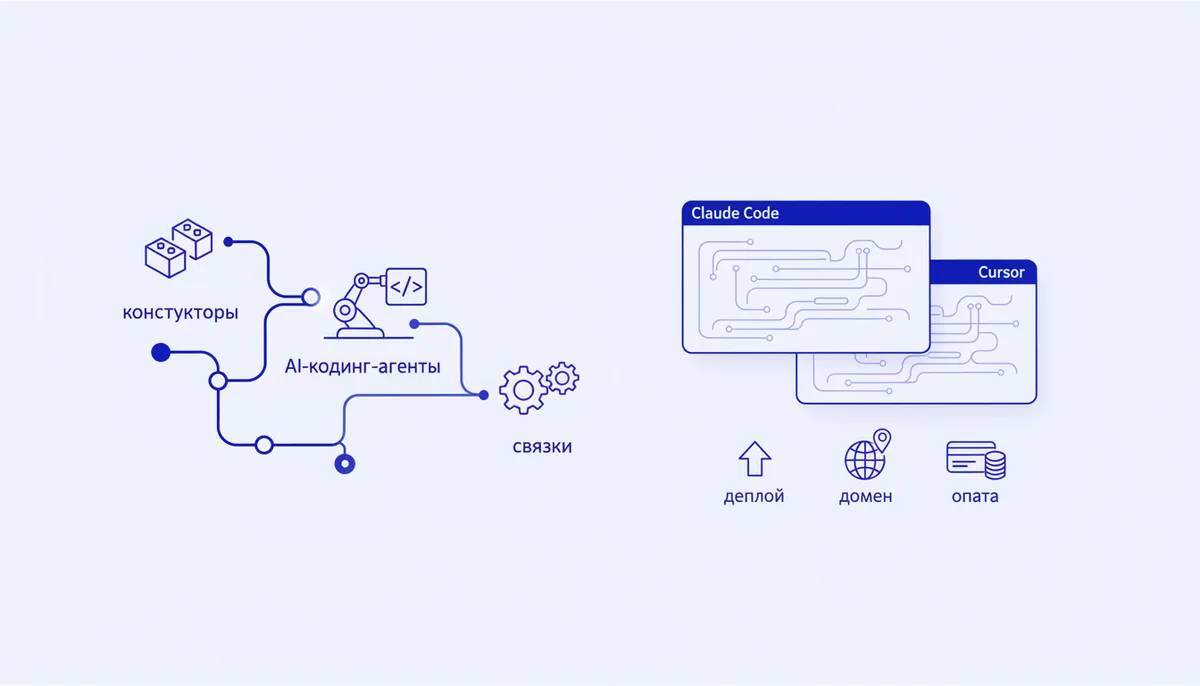
There are three ways to build a website with AI: a site builder (Tilda, Wix — visual, block-based, no code), an AI coding agent (Claude Code, Cursor — you describe the task in plain text and the agent writes real code), or a stack (an agent plus a ready-made template and external services for payments and data). For a simple landing page, a builder is faster — one or two hours. For a flexible site with custom logic and payment processing, and without a monthly platform fee, go with an AI agent: the code stays yours. You don't need a developer, but you do need a clear brief and a careful launch.
What "building a website with AI" actually means
An AI-built website is a site you describe in ordinary language, which a generative model turns into a finished page — or into the code behind that page. The difference between the approaches isn't "AI magic"; it's what you end up owning: a locked page inside someone else's platform, or your own files that you can take anywhere.
There are three levels of AI involvement:
- A builder with an AI assistant — a visual editor where the model picks blocks and writes copy. You barely touch code, but the site lives inside the platform.
- An AI coding agent — a program that writes, edits and runs your project's code from a text brief. More on it in the article what an AI coding agent is.
- A stack — the agent builds on a ready-made skeleton and wires in external services: a database, payments, email. This approach is close to what people call vibe coding — you steer the product through conversation rather than through lines of code.
The options and how they differ
There is no universally "best" method — only the one that fits your task. Here's an honest comparison:
| Approach | What it is | Who it suits | Pros | Cons |
|---|---|---|---|---|
| Builder (Tilda, Wix) | Visual editor with blocks and templates | Landing page, business card site, portfolio | Fast, no code, ready templates | Subscription fee, templated look, site is locked to the platform |
| AI coding agent (Claude Code, Cursor) | You write the task in text — the agent generates the code | Flexible site with custom logic | Real code, full control, no builder subscription | You need basic publishing skills, and the brief has to be precise |
| Stack (agent + template + services) | Ready-made skeleton, agent extends it, external services for payments and data | A product with payments, forms and data | Speed plus control, proven foundation | You have to assemble several services together |
The rule is simple: if the site is one attractive "about us" page or a sales landing page with no complex logic, use a builder. As soon as you need user accounts, payments, a product catalogue or integrations, an agent or a stack pays off — you won't hit platform limits and won't pay a subscription for every small feature.
Building a site with Claude Code or Cursor, step by step
Claude Code and Cursor are the two most popular AI coding agents. Claude Code runs in the terminal; Cursor is a code editor with AI built in. The working logic is the same, and the differences are in the details — Cursor feels familiar to anyone who has seen a code editor, while Claude Code is easier to run "as a conversation." Here's the sequence:
- Describe the task in words. Not "make me a website," but something concrete: "a one-page site for a massage studio: hero screen with a booking button, services block with prices, testimonials, enquiry form, footer with contacts; calm style, warm colours." The sharper the brief, the fewer revisions.
- Let the agent generate a first version. It will create the project files and show you the result in a local browser.
- Refine through dialogue. "Make the button bigger," "add an FAQ block," "change the heading font" — the agent makes the change and shows the result immediately. This is the main working mode: short iterations, not one giant request.
- Check it on a phone. Ask: "verify the layout doesn't break on mobile." Most traffic comes from smartphones, so this matters.
- Prepare it for release. Ask the agent to compile the project into finished files (a build) — those are what you'll put online.
The harder parts — forms, sending enquiries to Telegram, hooking up analytics — the agent handles through MCP servers. MCP is a standard that lets an agent work safely with external tools: Supabase for a database, say, or Playwright for testing the site in a real browser. A catalogue of these tools, with setup notes for each, lives in the MCP servers section.
Publishing the site: domain and deployment
A finished site has to go online — that's called deployment (publishing the site's files to a host so it opens at an address).
- Hosting. For agent-built sites, people usually start on platforms that are free at first, like Vercel or Netlify. You connect the project folder; they build and publish the site themselves and hand you a temporary address. You can tell the agent directly: "prepare this project for deployment on Vercel," and it will walk you through the steps.
- Domain. Your own address like
mysite.ruis bought from a registrar and costs a few hundred roubles a year (the exact price depends on the zone and the registrar). Once bought, the domain is pointed at the host — usually a couple of settings the agent can talk you through. - HTTPS and speed. Modern hosts issue a free security certificate (the padlock in the address bar) automatically. Separately, ask the agent to compress your images and check load speed — it affects both usability and search rankings.
Taking payments on the site
If the site needs to sell, you need payment processing. AI helps here too — it writes the button code and the order handling — but you sign up for the payment service yourself.
In Russia the options include YooKassa, Robokassa, CloudPayments and Prodamus. Almost all of them require self-employed status or a registered business — you can't legally take payment for goods on a personal card. The sequence: register with the payment provider, get your keys, and the agent uses the provider's documentation to embed the checkout button and a "thanks for your order" page.
You don't have to build this from scratch every time — there's a proven "landing page plus payments" recipe: the landing page with payments combo in the arsenal spells out which tools to connect and in what order.
What it costs to build a site with AI
The cost breaks down into four parts. Tool prices change, so look at the structure rather than the specific numbers:
| Item | Builder | AI agent / stack |
|---|---|---|
| Tool | monthly platform subscription | Claude or Cursor subscription, or a one-off engine purchase |
| Hosting | included in the builder's plan | often free to start (Vercel, Netlify) |
| Domain | paid separately, ~a few hundred ₽/year | same |
| Payments | payment provider's transaction fee | payment provider's transaction fee |
The main difference is the model: a builder is a rental (stop paying and the site is gone), whereas a site built by an agent is yours, and you pay only for what you actually use.
Where to get an "engine" so you don't start from zero
The most common beginner mistake is running an agent with no system: it loses context, gets tangled in revisions, breaks what already worked. To avoid that you need a vibe coding engine — a set of rules, prompts and integrations that keeps the agent inside guardrails and makes it build the site step by step instead of guessing.
That's exactly what the Quest engine is for: a ready-made framework for Claude Code and Cursor that carries you from idea to published site. The base engine is a one-off purchase, with task-specific modules sold separately; you can assemble your own build in the studio. If you'd rather explore the tools for free first, the Claude Code and Cursor cards in the arsenal above are open to everyone.
FAQ
Can I build a site with AI knowing no code at all?
Yes. A builder requires no code whatsoever. With an AI agent, the model writes the code, and all you need is a clear brief and the willingness to follow instructions and hit "publish." A basic grasp of files, domains and hosting speeds things up, but you don't have to be a programmer.
Which is better for a beginner — a builder or an AI agent?
For a single page with no complex logic, a builder is faster. As soon as you need payments, a database, user accounts or a custom design free of template constraints, take the AI agent: it gives you real code and full control, and your costs don't turn into an endless subscription.
How long does it take to build a site?
A simple landing page in a builder: one or two hours. A first working site through an agent: from a few hours to a day, including publishing and payment setup. After that, edits take minutes, because you just describe the change in words.
Will a site like this look right in search results?
Yes, as long as you don't skip the basics: headings, page descriptions, load speed, mobile responsiveness and human-readable text. You can hand this to the agent with direct requests: "write a title and description for every page," "check the speed and compress the images," "test the mobile layout."