How to Build Your Own Video Call and Chat Service: Architecture, Stack and a Ready-Made Prompt
In short
Your own video call and chat service — Slack for the text side, Telemost/Google Meet for the calls — is assembled from two independent transports: text and signaling travel through Socket.IO and REST into PostgreSQL, while media flows directly between browsers and a LiveKit media server over WebRTC. The key decision is SFU instead of P2P mesh: mesh honestly works up to 3–4 participants, beyond that you need selective forwarding, and self-hosted LiveKit covers it with a single container. This article walks through a map of 10 chat services (threads, reactions, presence, full-text search with Russian morphology), three call entry scenarios, quality modes with adaptive degradation, link-joinable rooms with guest access, a 14-table chat-and-calls schema, the security layer and a 5-container infrastructure. At the end — a breakdown of a ready-made 11-section prompt that stands up the entire service as one task for an agent: the prompt lives in the arsenal in full, with a copy button, and was written from a working implementation.
What does a video call and chat service consist of?
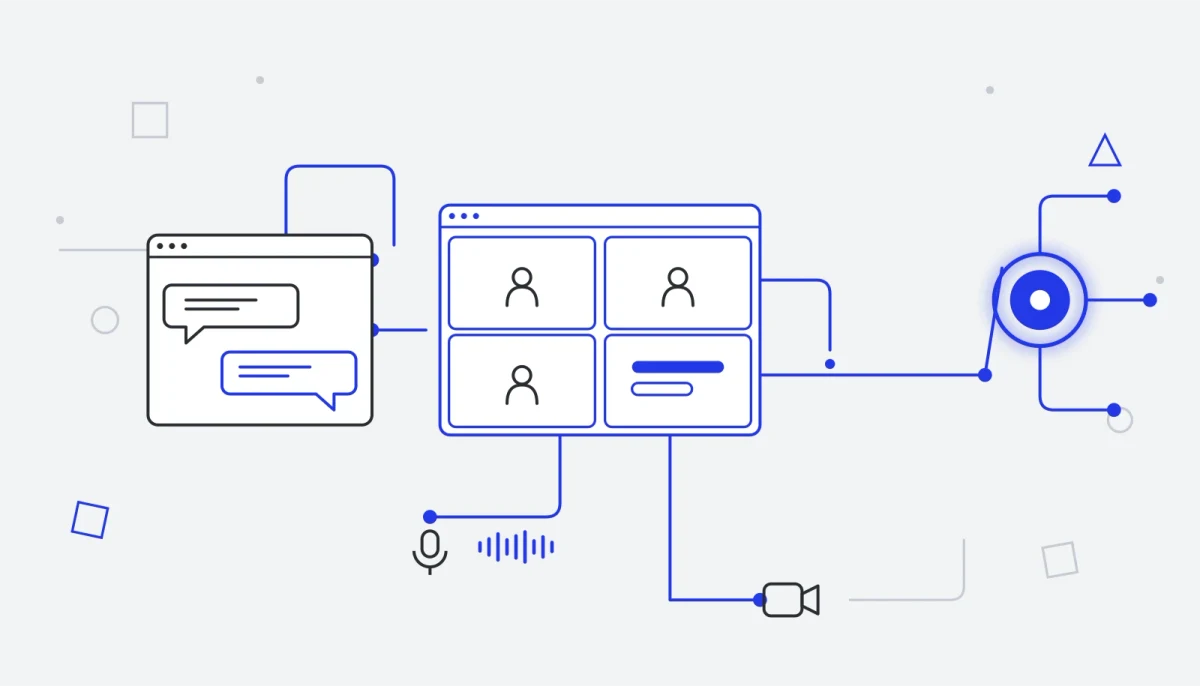
The whole system rests on one architectural decision: two independent transports. Text, state and signaling take the familiar route — Socket.IO and REST to a Node backend, storage in PostgreSQL. Media (audio, video, screen sharing), on the other hand, never passes through the backend at all: browsers connect directly to the LiveKit media server over WebRTC, while the backend merely issues a signed access token and manages the room through the server SDK.
This decision shapes everything else. The backend never chokes on traffic and scales with the number of messages, not the number of megabits; the media server scales separately — and fails separately, without taking the chat down with it. The same decision yields the core security rule: LiveKit keys live only on the server — the client never sees them. Instead of keys, the browser receives a JWT with specific permissions for a specific room and a limited lifetime.
The roles are split like this:
- SPA client — React + Vite: one socket per tab, React Query for the REST cache,
@livekit/components-reactfor the media layer. The chat and active-call widgets live at the application root and survive navigation. - API backend — Express + Socket.IO on a single HTTP server: REST for history, files and CRUD, the socket for everything that must arrive instantly.
- SFU media server — LiveKit: selective forwarding, simulcast, dynacast, TCP fallback.
- Recording — a separate LiveKit Egress container: it joins the room as an invisible participant, composites the grid into MP4 and writes it to a volume.
Why not "just WebRTC"?
The naive scheme — "browsers connect to each other directly" — is called P2P mesh, and it honestly works up to 3–4 people. Every participant sends their stream to everyone else, and by the time eight people are on the call, a laptop is drowning in encoding work.
The industry's answer is the SFU (Selective Forwarding Unit): every participant sends one stream up, and the server selectively distributes the needed streams down. Together with simulcast and dynacast, the load on the client stops growing with the participant count.
Writing your own SFU is months of work. Self-hosted LiveKit settles the question with a single container and leaves you full control over your data: media never leaves your server, unlike with cloud video-call APIs.
Which stack should you choose?
The stack below is not a list of trendy technologies but a kit taken from a working implementation: each layer solves its own problem and stays out of the others' way.
| Layer | Technology | Why |
|---|---|---|
| Frontend | React 18 + Vite | An SPA with chat and call widgets that survive navigation |
| Styling | TailwindCSS | Design tokens, light and dark themes |
| API and realtime | Express + Socket.IO | REST for history and CRUD, the socket for instant events |
| Storage | PostgreSQL 16 | Chat, room and call data plus full-text search on tsvector |
| Cache and bus | Redis | Presence, rate limiting and the Socket.IO adapter for multiple instances |
| Media | LiveKit SFU | WebRTC calls: forwarding, simulcast, TCP fallback |
| Recording | LiveKit Egress | Composite room recording to MP4 on a volume |
Building a project like this by hand takes a long time; with agentic coding it stands up from one detailed task. If the approach is new to you, start with our breakdown of what agentic coding is.
How is the chat structured inside?
The backend is split into services, each with its own area of responsibility; routes and socket handlers are thin, with all the logic living inside the services. Ten modules cover the text side entirely:
| Module | Responsible for |
|---|---|
| channelService | Channels: public and private, members and roles, archiving, topic, per-member notification settings |
| messageService | Sending, editing, soft deletion, threads, pinning, reply counters, full-text search |
| reactionService | Emoji reactions: one reaction per user per message, aggregation by emoji |
| directMessageService | Direct conversations: a direct-type channel is created idempotently for a pair of members |
| chatAttachmentService | Attachments up to 50 MB, image previews, file delivery with an access check |
| bookmarkService | Saved messages with a personal note |
| presenceService | online / away / dnd / offline statuses, custom status with an emoji, heartbeat and auto-away |
| chatNotificationService | Notifications for mentions, direct messages and thread replies |
| guestService | Invite links with a set of permissions, guest sessions, limits |
| chatAuditService | A log of significant actions: deletions, kicks, permission changes |
The user, meanwhile, sees the familiar Slack-like interface: a channel list with unread markers and presence, a feed with "typing…", a thread panel on the right (the parent message shows a reply counter), "Files / Links / Pinned / Members" panels, and @-mentions that create a notification.
Search deserves a separate mention: it is built on a PostgreSQL tsvector column with Russian morphology and a trigger that updates it on insert and edit. A message is found by a word in any inflected form — and a work team's chat needs no separate search engine.
How do calls work?
A call is always a row in the call-rooms table plus a live room in LiveKit; only the entry points differ. There are three scenarios, plus one utility one:
- A channel call — the Slack-huddle model: a member hits "Call", and a "Call in progress, join" banner drops into the channel. Nobody gets woken up, but everyone sees the activity.
- A 1:1 direct call — the classic ring: an incoming-call modal with a ringtone, an outgoing call with cancel, a timeout, decline, and an "already in another call" scenario with an offer to switch.
- A link-joinable room — the Telemost scenario: create a room, send the link, the other person joins — with an account or as a guest by name.
- Returning to a call — a minimized call lives in a floating widget on top of the app: you can wander off to another section while still talking.
A room has a quality mode, chosen at start — and it changes the permissions in the issued token, not checkboxes in the UI:
| Mode | What gets published | When to choose it |
|---|---|---|
| economy | Microphone and screen; camera forbidden at the token level | A weak connection, mobile internet, large all-hands |
| standard | Video up to 6 participants, avatars with speaking indicators beyond that | The default: regular team meetings |
| conference | Video for every participant with no limits | Demos, webinars, presentations on a good connection |
On top of the mode sits adaptive degradation: a background job polls the media server's load and pushes a level to the clients — none, moderate (lower bitrate and frame rate), high (turn cameras off, keep screen and audio). The user sees an honest banner instead of a picture that falls apart on its own.
In-call moderation is server-side: the host can mute a participant, turn off their video, remove them from the call or end the call for everyone, and every action goes as a targeted command through the server, not through the client's local state. Recording starts with a single button: the backend launches a composite recording via Egress (grid, HD 30 fps; audio-only for an audio call), and on stop it puts the file on the volume and stores the link. The "recording in progress" indicator is visible to everyone — that is not an option but a requirement of both decency and the law.
How do you build link-joinable rooms and guest access?
A room is a standalone entity, not tied to a channel: a name, a description, a unique link token and two axes of settings. Type: permanent (reused indefinitely) or one-time (deleted once the call ends). Access: org-only (only your own people, by login) or public (anyone with the link, including guests without an account).
A public room gets its own page at the token URL: a preview, a "What's your name" field, camera and microphone selection before joining. Inside is the same call plus the room's text chat, where both users and guests post.
A guest link is not a "hole in the perimeter" but a token with an explicit set of permissions: canChat, canCall, canViewHistory, a usage-count limit and an expiry date. A guest gets their own session, tighter action limits, and sees nothing beyond the channel or room they were granted. The link can be revoked in one click.
What does the data schema look like?
All the functionality fits into 14 chat-and-calls tables (plus the bare users and organizations), and every organization entity carries an organization_id — the foundation of tenant isolation: every query filters on it right in the SQL. The key tables:
chat_channelsandchat_channel_members— channels (public/private/direct), membership, roles and read markers;chat_messages— messages and threads:parent_message_id, mentions,edited_at/deleted_at, pinning,search_vector;chat_message_reactions,chat_attachments,chat_bookmarks— reactions, files with previews, saved messages;chat_user_presenceandchat_notifications— presence and notifications;chat_roomsandchat_room_messages— link-joinable rooms and their chat (the author is a user or a guest session);chat_call_roomsandchat_call_participants— call sessions (LiveKit room name, mode, recording link) and participation history;chat_guest_invitesandchat_guest_sessions— invites with permissions and active guests.
The full DDL, with fields, indexes and the search trigger, lives in its entirety in the prompt discussed below.
What about security?
The security layer is part of the architecture, not an appendix to it; there is one principle: forbidden until explicitly allowed.
- Tenant isolation. Every database query filters on the user's organization. Not "the frontend won't show it" — a condition in the SQL.
- LiveKit tokens are issued by the server for a specific room, identity and publishing permissions, with a limited lifetime. In economy mode the camera-publishing permission is simply never granted — the restriction cannot be bypassed from the browser console.
- Permission checks at call entry: channel membership, room access, a valid guest token.
- Socket payload validation with schemas: the socket is just as much a trust boundary as HTTP.
- Rate limits on both HTTP and socket events — separate ones for users, guests and anonymous visitors.
- Files are served only after an access check; type and size are verified on the server.
- Recording is visible to all participants and written to the audit log.
What infrastructure do you need?
The whole service is five service containers — the app, PostgreSQL, Redis, LiveKit and LiveKit Egress — plus nginx at the edge, the sixth compose service. The media server's ports: 7880 for WebSocket signaling, 7881 as a TCP fallback for strict corporate networks, and the UDP range 50000–52000 for media — roughly two thousand ports give headroom for hundreds of simultaneous participants.
In front of the app sits nginx with three duties people forget most often: proxying WebSocket (the Upgrade and Connection headers), a raised client_max_body_size for attachments — and TLS termination. That last one is not optional: WebRTC requires a secure context, and without HTTPS the camera and microphone simply won't turn on.
Which pitfalls cost people weeks?
- ICE candidates carrying the Docker bridge address. A containerized media server advertises its internal address — nobody outside can establish a connection. The fix is declaring the node's public address explicitly and excluding bridges from the interface list.
- The forgotten body limit in nginx. Uploading a file over a megabyte returns 413 and never reaches the backend, where the limit is set honestly.
- A socket per component instead of per application. Recreating the connection on every re-render produces an avalanche of connections and lost events.
- A load balancer without the Redis adapter (or without sticky sessions). Events land on an instance where the recipient isn't connected.
- A guest with no restrictions. A link with no expiry, no usage limit and no permission set is not an invitation — it's a backdoor.
- No "already in a call" scenario. The user ends up in two rooms at once, and dangling participants pile up on the server.
- Publishing permissions enforced only on the client. Anything not forbidden in the token will get turned on — sooner or later.
The ready-made prompt: the whole service as one agent task
Everything described above is built by an agent (Claude Code, Cursor, Codex — anything that can write files and run commands) from a single detailed prompt. We are not pasting it into the article — it is 18 KB of text and lives in an arsenal card: the "Turnkey video call service" prompt — in full, with a copy button.
How the prompt is structured matters more than its size. It has 11 sections: the exact stack with versions → the database schema with indexes and the search trigger → the REST endpoint map → socket events in both directions → the LiveKit integration with the token logic → the screens and a button inventory → design tokens → infrastructure (docker-compose, livekit.yaml, nginx) → security → a staged work order → acceptance criteria — 12 verifiable items, from "two browsers exchange messages in real time" to "a foreign organization receives not a single object over either the API or the socket".
It's the acceptance criteria that turn the prompt from a wish into a task: the agent works in stages, runs the build and tests after each one, and checks itself against the list. That principle underpins all of vibe coding: the human describes the outcome and the way to verify it, the agent drives it to done. The easiest place to start is our Claude Code guide.
FAQ
Can you get by without LiveKit?
For 1:1 calls and groups of 3–4 people, plain WebRTC in mesh mode is enough. Beyond that there is no way around an SFU, and writing your own is months of work. The alternative to LiveKit is cloud video-call APIs, but then your media travels to someone else's servers; self-hosted LiveKit keeps the data with you and installs as a single container.
How many containers do you need, and will one server handle it?
Six in one docker-compose: the app, PostgreSQL, Redis, LiveKit, Egress and nginx at the edge. All of it comes up on a single server. The UDP range 50000–52000 gives headroom for hundreds of simultaneous participants, and the Socket.IO Redis adapter lets you later split the app across several instances behind a load balancer.
Why can't you give the LiveKit keys to the frontend?
The keys sign access tokens — anyone holding them can mint themselves a token to any room with any permissions. That is why the keys live only on the server, and the client receives a JWT for a specific room with specific publishing permissions and a lifetime. Even the camera ban in economy mode is baked into the token — it cannot be bypassed from the browser console.
Is it legal to record calls?
Recording must be explicit for every participant: in this architecture the "recording in progress" indicator is visible to everyone, it cannot be hidden, and the start of a recording is written to the audit log. Silent recording is unacceptable both ethically and legally.
Will this architecture handle a thousand participants?
The configuration described here is sized for a team service: hundreds of simultaneous participants on a single server. The SFU architecture scales further — the media server grows separately from the backend — but webinars with thousands of viewers will require additional solutions on top of the same foundation. For more of what you can realistically build with the same blueprint, see our roundup of what you can create with vibe coding.