Claude Code vs Cursor: Which to Choose in 2026
In short
Claude Code is Anthropic's terminal coding agent, strong on autonomous multi-step tasks and context discipline. Cursor is an AI code editor built on VS Code: a lower barrier to entry, every edit visible on screen, and its own fast Composer agent. As of July 2026 the entry plans match ($20/month), but the philosophies differ: Claude Code bets on delegating whole tasks, Cursor on close "human + agent" work inside the IDE. And the choice isn't final — you can keep rules and processes portable and work in both.
What this article covers — and what it doesn't
Let's separate two questions that often get mixed up.
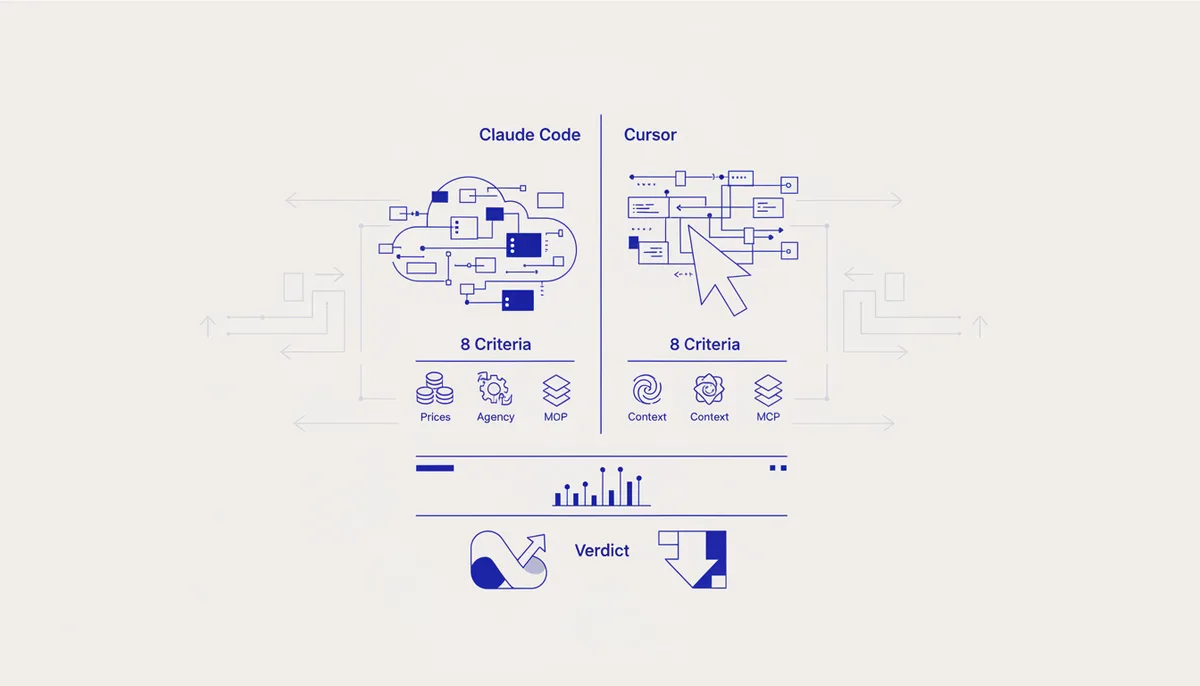
This article is about choosing a tool: you're starting out, or unhappy with your current editor, and deciding where to invest time and money. We compare Claude Code and Cursor across 8 criteria and give verdicts by user type.
If your question is instead "I already work in one tool — how do I move my setup to the other without losses," that's a separate topic: read the breakdown of engine portability across Claude Code, Cursor and VS Code. It covers rule formats, what converts automatically and what you'll have to adapt by hand.
Definitions, so we speak the same language:
- Claude Code is a development agent that lives in the terminal (and in IDE extensions): you describe the task in text, and the agent reads the code, edits files, runs tests and commands itself.
- Cursor is a full IDE, a VS Code fork with built-in AI features: Tab autocomplete, chat, an agent mode and its own Composer model.
Eight criteria compared: the table
| Criterion | Claude Code | Cursor |
|---|---|---|
| Price (July 2026) | Pro $20/mo, Max $100–200/mo, API per token | Free, Pro $20/mo, Pro+ $60, Ultra $200/mo |
| Billing model | Subscription with limits per 5-hour session | Credits for model requests |
| Agentic power | Subagents, hooks, long autonomous sessions | Agent mode, background and cloud agents in VMs |
| Context handling | CLAUDE.md, isolated subagent contexts | Codebase indexing, @-references to files and docs |
| Interface | Terminal + extensions for VS Code/JetBrains | A full IDE with every VS Code habit intact |
| MCP | Yes; plus plugins and skills on top | Yes; per-agent server scoping |
| Project rules | CLAUDE.md, skills, hooks | .cursor/rules, AGENTS.md support |
| Who it's for | Delegating whole tasks, automation, CI | Seeing every change, frontend, entering vibe coding |
Now the most contested points in detail.
What do Claude Code and Cursor cost in 2026?
Prices as of July 2026, excluding annual discounts:
- Claude Code: Pro — $20/month, Max 5x — $100/month, Max 20x — $200/month. The alternative is paying for the API per token, but for regular work the subscription comes out 2–2.5 times cheaper.
- Cursor: Hobby — free (heavily limited), Pro — $20/month, Pro+ — $60/month, Ultra — $200/month. Annual billing gives about a 20% discount.
The difference isn't in the numbers but in the billing model. Claude Code's limits apply within 5-hour sessions: hit the ceiling and you wait for the next window or upgrade. Cursor uses credits: requests to expensive frontier models burn the allowance faster, while its own Composer model spends credits more frugally. An honest caveat: both companies have changed their pricing more than once in the past year, so check the official pages before buying.
The practical takeaway: at $20/month both hit the ceiling quickly if you work agentically all day. The workable options for heavy practice are Claude Code Max 5x ($100) or Cursor Pro+ ($60), depending on how much you delegate.
Which is stronger on agentic work?
Agentic power is a tool's ability to plan and execute a multi-step task on its own: read the code, make the edits, run the tests, roll back on failure.
Claude Code was designed around that scenario. Subagents with isolated contexts, hooks (scripts bound to lifecycle events), skills — all of it exists so the agent can work for hours without you and without cluttering the main session. This is a "brief it, go to a meeting" class of tool. How to phrase tasks so the agent gets it on the first pass is covered in a separate guide.
Cursor is catching up fast: an agent mode, background agents, and cloud agents in isolated VMs that run commands and edit files while you work in the editor. Plus its own Composer model, optimized for speed: most agent steps finish in tens of seconds.
Verdict: for long autonomous tasks and automation (CI, cron, pipelines) Claude Code is still ahead — it's a CLI tool by origin and easier to wire into scripts. For iterative work under your eye it's a tie, and Cursor's response speed is often the nicer experience.
Context handling: indexing vs discipline
The approaches are opposites. Cursor indexes the codebase and pulls in relevant chunks itself, plus @-references to files, folders and documentation. That's convenient: less manual work, especially in a large unfamiliar project.
Claude Code works like an experienced developer: it greps through the code, reads only what it needs, and its long-term memory lives in CLAUDE.md, a file of rules and facts about the project. Less magic, more predictability: you know exactly what the agent "knows."
In practice beginners find Cursor's indexing easier, while experienced users more often value Claude Code's controllability — in long sessions, junk in the context hits answer quality directly.
Terminal or IDE: is that even a criterion?
Less than it seems. Claude Code hasn't been terminal-only for a long time: there are VS Code and JetBrains extensions and a desktop app. And Cursor has a terminal, in which Claude Code runs happily.
But temperament still counts. If you need to see the diff of every edit, the cursor in the file and the project tree, Cursor will feel closer to home. If you think in tasks rather than lines ("build the feature, show me the result"), Claude Code's terminal workflow reflects what you're actually doing more honestly. For beginners who never lived in VS Code, entering through Claude Code is sometimes even easier: less interface, less fear. A step-by-step start is in the Claude Code guide for beginners.
MCP and project rules: extensibility
MCP (Model Context Protocol) is an open protocol through which an agent connects to external tools: databases, a browser, GitHub, issue trackers. Both support it, and it's no longer a differentiator: a selection of working MCP servers will run in either. Cursor has convenient scoping — you can give a specific agent only the servers it needs; Claude Code has deep integration with plugins and skills.
Project rules are more interesting. Project rules are the instructions the agent reads before every task: stack, conventions, prohibitions. In Cursor that's .cursor/rules plus AGENTS.md support; in Claude Code it's CLAUDE.md and skills. The formats differ, and that's where the pain begins: a rule system built up in one tool has to be moved to the other by hand — or built portable from the start.
Who should pick Claude Code, and who should pick Cursor
- New to vibe coding — Cursor Pro or Claude Code Pro, both $20. Cursor is gentler if you've already seen VS Code; Claude Code is simpler if you've never used any editor. Either way, the first-steps plan is in where to start with vibe coding.
- Frontend developer with lots of hand edits — Cursor: Tab autocomplete and instant diffs in the IDE save hours.
- Backend, DevOps, automation — Claude Code: its CLI nature, hooks and subagents fit into any pipeline.
- A team — most often both: Cursor as the main editor, Claude Code for heavy tasks and CI. The full range of options is in the 2026 vibe coding tool review.
Why you shouldn't choose "forever"
The main mistake is treating the choice as final. The market shifts every six months: yesterday Cursor had no background agents, today it does; tomorrow the limits, models and prices will change. Tying your setup to one tool means paying a tax on every move.
So keep rules, roles and workflows in a portable form. The Quest engine is built exactly that way: a single system of vibe coding rules, roles and processes that exports to both Claude Code and Cursor. Assemble a configuration for your stack in the configurator and switch tools without losing your work. How that portability works technically is in the article on the engine across Claude Code, Cursor and VS Code.
FAQ
Can I use Claude Code and Cursor at the same time?
Yes, it's a common setup: Cursor as the editor, Claude Code in its built-in terminal for heavy agentic tasks. You pay for both subscriptions, so people usually take one "thick" plan and one minimal one.
Which is cheaper, Claude Code or Cursor?
At entry they're identical: $20/month each (as of July 2026). After that it depends on load: the next step up is $100 for Claude Code (Max 5x) and $60 for Cursor (Pro+). If the agent runs all day, compare real limits under your workload rather than headline plans.
Is it true that Claude Code is terminal-only?
No. There are VS Code and JetBrains extensions and a desktop app. The terminal is its historical root and still the most powerful mode (scripts, CI, automation), but not the only one.
Do settings transfer from Cursor to Claude Code?
Automatically, no: .cursor/rules and CLAUDE.md are different formats. Some of it converts, some needs adapting. That's exactly why it makes sense to keep rules in a single portable source rather than duplicating them per tool.