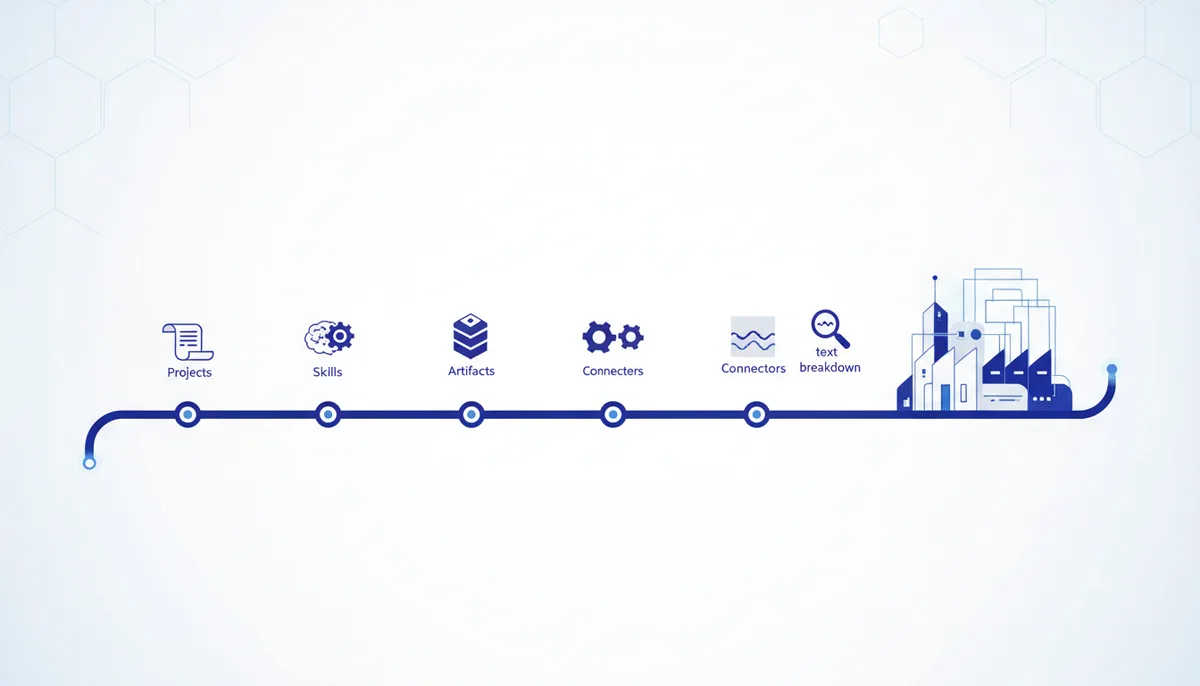
Claude often gets described as a magic autofunnel and an agent that runs your DMs 24/7 on its own. In reality it has no access to your Instagram and it doesn't call clients for you. What it does have, right inside the Claude interface, is five features that genuinely save hours on content — with no add-ons or integrations. Let's go through each with examples.
The point: not sales automation, but content assembly
All five features below are built straight into claude.ai and available in the basic interface. They won't replace you in negotiations with clients, but they remove the busywork: re-entering context, copying files between chats, picking apart someone else's text by hand. Together they add up to one process — from setting up a project to a finished post.
Feature 1 — Projects: a voice you don't have to explain again
Projects is a persistent workspace chat with its own knowledge base. You upload sample posts and a tone-of-voice description once, and from then on Claude holds the style across every new topic inside the project instead of asking "so how do you usually write?" all over again.
How to set it up: Claude → Projects → "Create project", with a specific name ("Instagram content", not "Project 1"). Inside the project each new topic is its own chat, but the project context (files, instructions) is shared across all chats.
Feature 2 — Skills: a prompt you don't have to paste again
A Skill is a saved instruction you invoke with a command instead of pasting the text every time. It lives in Settings → Capabilities → Skills → Personal skills → Create skill. You paste the instruction once, and after that it's one line for any topic.
You are a Reels scriptwriter working in my niche.
Ask for the topic and the target video length.
Structure: hook (3 sec), value (3-4 steps), CTA.
Write in a conversational tone, no bureaucratic language.
You invoke it like this:
/script-writer
Topic: a look at a new Claude feature.
Format: 30-second Reels, hook in the first 3 seconds.
Feature 3 — Artifacts: an answer as a document right away
When you ask for a publishing plan, a topic table or a carousel structure, Claude may by default hand it back as a wall of text in the chat. If you explicitly ask for it as an artifact (or Claude itself decides the format suits a separate document), the result opens in its own panel — you can work with it like a document or a spreadsheet, edit and export it, instead of digging chunks out of the conversation.
Feature 4 — Connectors: files without manual pasting
Settings → Connectors is where you hook up external sources: GitHub, Google Drive and others. Once connected, Claude reads the files directly, without you copying their contents into the chat by hand. Handy for projects with a history of material: briefs, scripts, content tables can live in Drive instead of being dragged into every new chat.
Feature 5 — Text analysis: finding what to strengthen
This is not "analysis by link" (Claude does not follow arbitrary video links without special tools) — it's analysis of text you paste yourself: a video transcript, a competitor's post, or your own draft.
Here is the post text: [paste].
Break it down point by point: hook, structure,
CTA. What to cut, what to strengthen, and why.
This kind of analysis works both for other people's posts (what hooks you in a competitor's work and what doesn't) and for your own drafts before publishing.
How to put it together into one process
The order is this: the Project sets the voice and stores the samples → the Skill locks in the structure of a specific format (script, post, carousel) → Connectors pull in files without copying → text analysis is used before publishing to check the draft. Each piece works on its own, but together they close the "think it up — write it — check it" loop without leaving a single interface.
How we do it
The qvib.pro knowledge base already has more than 500 cards with prompts and Claude breakdowns, including skill instructions and project structures for different niches. We use exactly the same approach in our own engine for generating code and websites: a clear task structure instead of a vague request — and an output you don't have to redo from scratch.
Related links
- The "Claude skills" section of the arsenal: qvib.pro/arsenal/skills/
- The "Prompts" section of the arsenal: qvib.pro/arsenal/prompts/
- How the qvib engine works: qvib.pro/