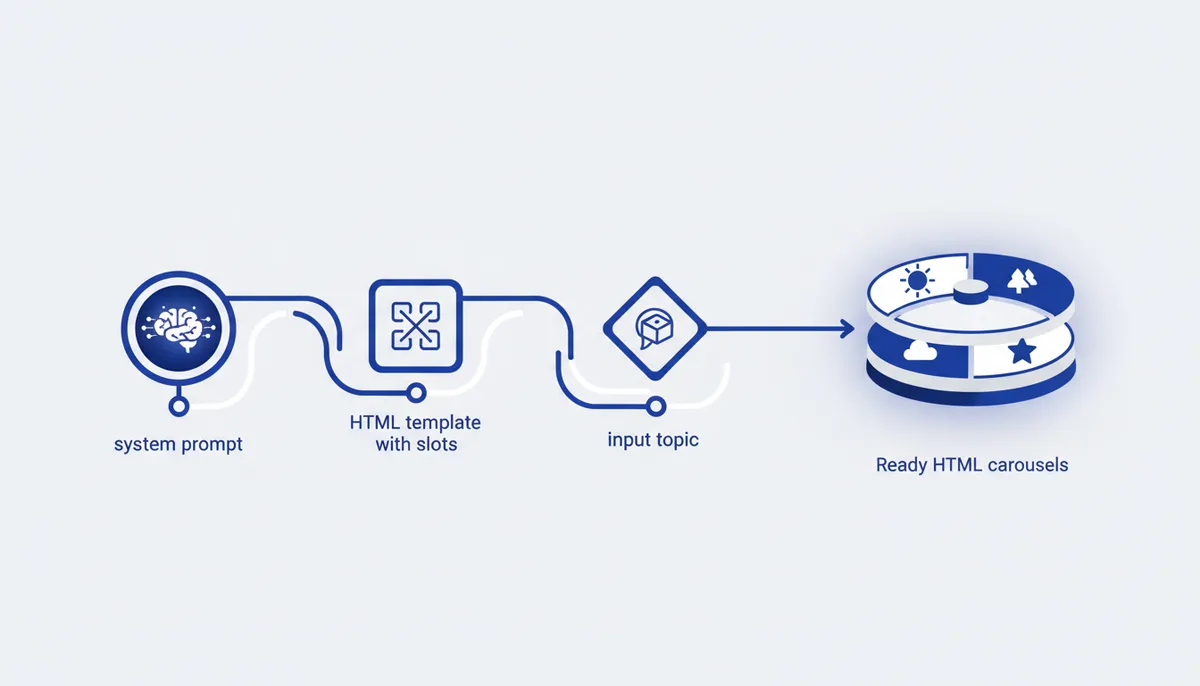
If you make carousels regularly, pasting the same prompt with the same template every time is wasted effort. The fix is to put it all inside one Claude Project: the template, the style and a strict system prompt that forces Claude to hand back a finished HTML file instead of an artifact with commentary. Let's walk through the mechanics step by step, with the full working system prompt.
Why a Project and not an ordinary chat
In an ordinary chat you have to re-explain the style, the slide structure and the output format in every conversation. A Project solves that once: the template files, examples and style instructions live in Project Knowledge, and the system prompt sets the rules for every new request inside the project. You just type the topic — Claude takes all the remaining context from the project.
Step 1 — create the Project and load the base
Create a new Project in Claude and put into Project Knowledge whatever needs to be permanently at hand: the HTML carousel template, examples of finished posts, a description of your tone of voice.
In the project instructions it's worth spelling out:
- the tone and style (expert, conversational, ironic — whatever suits you);
- the slide structure (how many slides, what goes on the first one, what goes at the end);
- the kind of text (short sentences, no bureaucratic language, with concrete examples);
- the constraints — what definitely not to use (cliches, exaggerations, invented numbers).
From then on, every new chat inside this Project inherits all these settings automatically.
Step 2 — a system prompt with strict output rules
Without explicit constraints Claude tends by default to explain what it did, wrap the code in markdown fences or offer to open the result as an artifact instead of a file. The system prompt removes that problem entirely:
You generate HTML carousels from the template in Project Knowledge.
Your only job: fill the {{slots}} in the template and output the
finished HTML. Nothing else.

STRICT OUTPUT RULES
Output raw HTML only — from <!DOCTYPE html> to </html>.
Zero text before or after the code.
No markdown, no ``` html fences, no explanations.
Do not use Artifacts, do not render the code inline.
Do not change the CSS or JS — only fill the template slots.
These rules work precisely because they list not what needs to be done, but what Claude usually does by default and what isn't wanted here.
Step 3 — the input: a topic or a finished text
Once the Project is set up, it's enough to type the topic on a single line or paste a finished text (a post draft or a video transcript, say) — Claude decides on its own how to split the material into slides, where to put the hook and where to place the call to action, going by the template and the project instructions.
Step 4 — edits in words, not in code
The main advantage of this setup is that you can edit at the level of meaning rather than markup: "make the hook stronger", "shorten the text on the third slide", "drop one slide from the middle". Claude rewrites the whole HTML file taking the edit into account, and you never touch the code by hand.
The slotted template: what's inside
The HTML template sitting in Project Knowledge should contain explicit placeholders — {{title}},
{{slide_2_text}} and so on — for every carousel element: the headline, the subheading, the slide
text, code or quotes. Those placeholders are exactly what the system prompt asks it to fill, leaving
the rest of the markup, styles and scripts alone.
A typical setup mistake
If the result still comes back with explanations or as an artifact, the cause is almost always that the system prompt was not set for this Project specifically, but in a separate chat. The output rules have to be written into the project's own settings rather than pasted afresh into every conversation — otherwise the "one command, one finished file" effect won't happen.
How we do it
Our own content generation pipeline for the qvib engine is built on exactly this principle — a Project (or its equivalent) plus a strict system prompt plus a template with placeholders: not one big "make it look nice" prompt, but a stable template combined with hard output rules on top of the model.
Related links
- The "Prompts" section: qvib.pro/arsenal/prompts/
- HTML templates for content: qvib.pro/arsenal/html-templates/
- How the qvib engine works: qvib.pro/