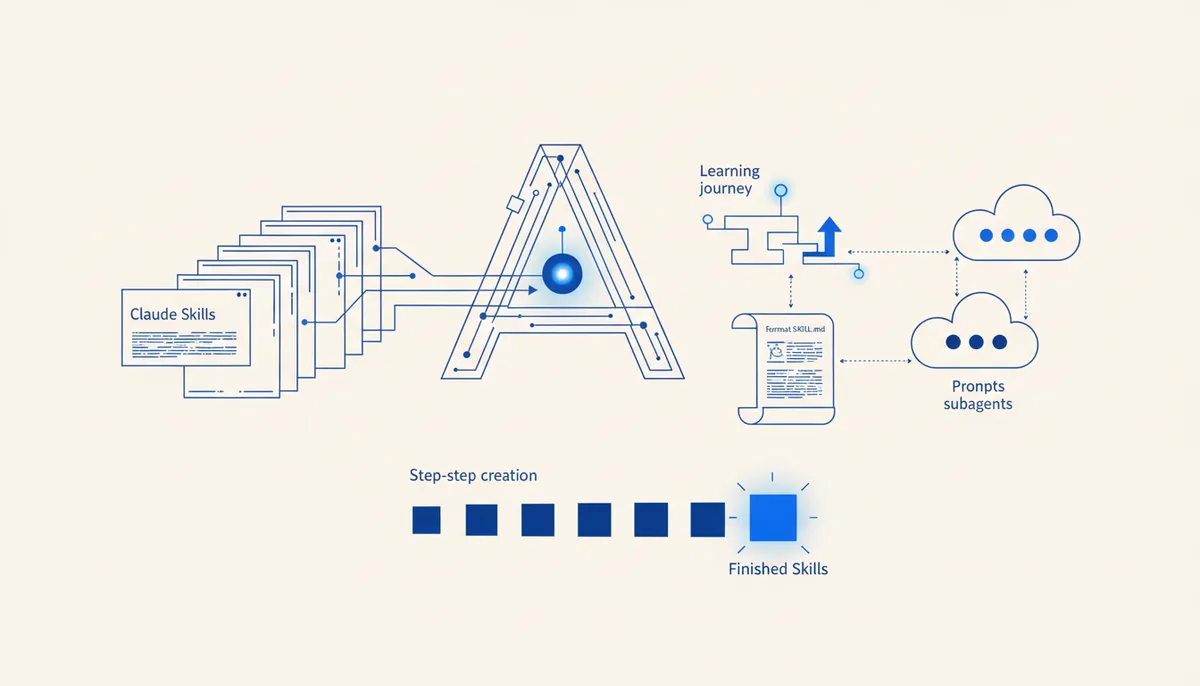
Claude Skills: What They Are and How to Build Your Own
In short
Claude Skills (Agent Skills) are folders of instructions, scripts and reference files that Claude loads on its own when a task matches the skill's description. The minimal skill is a single SKILL.md file: a YAML header with name and description fields plus a Markdown body. A skill differs from a prompt in that it lives permanently and activates without your involvement; it differs from a subagent in that it doesn't spawn a separate context but loads knowledge into the current one. Your first working skill takes 10 to 15 minutes — step-by-step instructions and a breakdown of the format are below.
What are Claude Skills and what problem do they solve?
A skill is a way to give an agent procedural knowledge on demand. Anthropic introduced Agent Skills in October 2025, and the format now works in Claude Code, in the Claude apps and through the API — the same skill can move between surfaces.
Before skills, repeat instructions had two bad homes. Either CLAUDE.md, which loads into every session in full and bloats until it's unreadable. Or manual copy-pasting of prompts, which you forget exactly when you need it.
Skills solve this through progressive disclosure:
- Discovery. At the start of a session Claude sees only the
nameanddescriptionof each skill — a few dozen bytes apiece. - Activation. Once a task matches the description, the agent reads the whole SKILL.md into context.
- Execution. As it works, it pulls in reference files and runs scripts from the skill folder — only the ones actually needed.
The result: you can keep 30 skills and pay almost nothing in context while they stay quiet. If you're only just setting up Claude Code, start with the beginner's guide — skills will land on prepared ground.
How does a skill differ from a prompt, CLAUDE.md and a subagent?
Short definitions to keep the concepts apart:
- A prompt is a one-off message to the agent; it lives for a single task, after which you type it again (how to phrase it is in the article on framing tasks).
- CLAUDE.md is project memory: short rules that are always loaded, in full.
- A skill is a procedure on demand: a detailed instruction that occupies context only when it's needed.
- A subagent is a separate worker with its own context window; you delegate bulky subtasks to it so the main session stays clean (more in the article on agents and roles).
- An MCP server is the hands: access to external systems — databases, the browser, APIs. A skill is the head: knowledge of how to act (a breakdown is in our MCP server roundup).
| Mechanism | When it loads | What it costs in context | Typical task |
|---|---|---|---|
| Prompt | you type it manually | one-off | a one-time task |
| CLAUDE.md | every session, in full | occupied permanently | 30–60 lines of project rules |
| Skill | on its own, when the description matches | occupied only on activation | a repeatable procedure: releases, reviews, reports |
| Subagent | by delegation | a separate window | codebase research, a large refactor |
| MCP server | tools are always declared | schemas sit in context | integration with an external service |
A practical rule: if you're typing the same long prompt for the third time, that's a skill. If the instruction is needed every session and fits in a couple of paragraphs, that's CLAUDE.md. If the task eats tens of thousands of tokens, that's a subagent.
How is SKILL.md structured?
The folder layout:
my-skill/
├── SKILL.md          # required
├── references/       # reference material, templates — loaded as needed
└── scripts/          # executable scripts
A minimal SKILL.md:
---
name: release-notes
description: Assembles release notes from the git log. Use when asked to "put together release notes", "what went into the release", "changelog since the last tag".
---

# Release notes

## Algorithm
1. Take the commits: `git log <last-tag>..HEAD --oneline`.
2. Group them: features / fixes / infrastructure.
3. Format using the template in references/template.md.
4. Exclude commits prefixed with `chore:`.
What matters in the header:
name— an identifier up to 64 characters, Latin letters and hyphens.description— this is not documentation, it's a trigger. Claude matches the user's request against exactly this line. Put the real phrases you use to ask for the task into it: "put together release notes", "check the migration". A vague "helps with releases" is the number one reason a skill silently fails to fire.- Optional fields in Claude Code:
allowed-tools(restrict which tools are available) anddisable-model-invocation: true(the skill can only be called manually).
The body should be an algorithm, not an essay: numbered steps, commands, definition of done. Move anything heavy (templates, long references) into references/ — then activating the skill costs hundreds of tokens instead of thousands.
How to build your first skill, step by step
- Pick a victim. A repeatable procedure with clear steps: code review against the project checklist, a deploy, formatting a PR, generating a report.
- Create the folder.
~/.claude/skills/skill-name/is a personal skill for all projects;.claude/skills/skill-name/inside a repository is a project skill: it travels with git and reaches the whole team. - Write the frontmatter. Put trigger phrases and boundaries into
description("do NOT use for hotfix branches"). - Write the body. Steps, commands, a template for the output. A good test: could a new hire follow this instruction without asking a single question?
- Restart the session in Claude Code — skills are picked up at startup.
- Test activation. Phrase the task the way you wrote it in the description — the skill should engage on its own. Then ask differently and see whether it still fires. If it doesn't, edit the description; landing it on the second or third iteration is normal.
An honest caveat: activation is probabilistic. The model decides for itself whether to take a skill, so for critical procedures add redundancy — call the skill explicitly (in Claude Code, with a slash command by its name) or mention it in your request.
Where to get ready-made skills and how to avoid trouble
Two sources:
- The official anthropics/skills repository — open examples from Anthropic: working with docx, pptx, xlsx, pdf and more. Useful as a reference for structure.
- Our own arsenal collection — the /arsenal/skills/ section holds cards for ready-made skills with installation instructions: testing, review, documentation, security. The section is free, like the rest of the arsenal.
A security warning: a skill can contain executable scripts, and they run with your privileges — the trust level is the same as for an npm package. Read someone else's SKILL.md and scripts/ folder before installing, not after an incident.
You now have a lot of skills. How do you avoid a zoo?
Real pain shows up at scale. Five skills live peacefully. At fifteen, trigger overlaps and duplicated rules between CLAUDE.md and skills begin. And if your team sits on both Claude Code and Cursor, everything doubles: Cursor doesn't read SKILL.md, it has its own rules format (.mdc), and the same procedure has to be maintained in two places, where it inevitably drifts apart.
We hit this ourselves, so in the Quest engine we went the compilation route: rules, skills and roles are described once in the engine spec, and native artifacts are generated per tool — skills and CLAUDE.md for one, rules for the other. Change the spec, rebuild both environments, and drift disappears as a category (how portability works is in a separate breakdown). As of July 2026 the engine costs 4 900 ₽ once, themed modules 1 900 ₽ each.
If you have two skills so far, you don't need an engine — honestly. Tune the descriptions, separate the triggers and live in peace. Come back when you notice you're spending more time syncing configs than writing code.
FAQ
Do Claude Skills work in Cursor?
No. SKILL.md is an Anthropic format; Cursor uses its own rules (.mdc files in .cursor/rules). You can port a procedure by hand, but maintaining two formats in parallel is costly — that's one of the problems solved by compiling from a single spec in Quest.
How does a skill differ from an MCP server?
An MCP server gives the agent tools — access to a database, a browser, an external API. A skill gives it knowledge — how exactly to act. They complement each other: a skill can describe when and how to call an MCP server's tools.
How many skills can be connected at once?
Technically dozens: at the discovery stage each one costs only a name and description. The practical ceiling is lower: the more skills with similar descriptions, the more often the model picks the wrong one or none at all. Keep triggers non-overlapping and delete dead skills.
Do I need to know how to program to write a skill?
No. A minimal skill is a Markdown file with a text instruction, no code. Scripts in scripts/ are an option for cases where a step is more reliably done by deterministic code than by generation.