Tilda or AI: What to Build Your Site With in 2026
In short
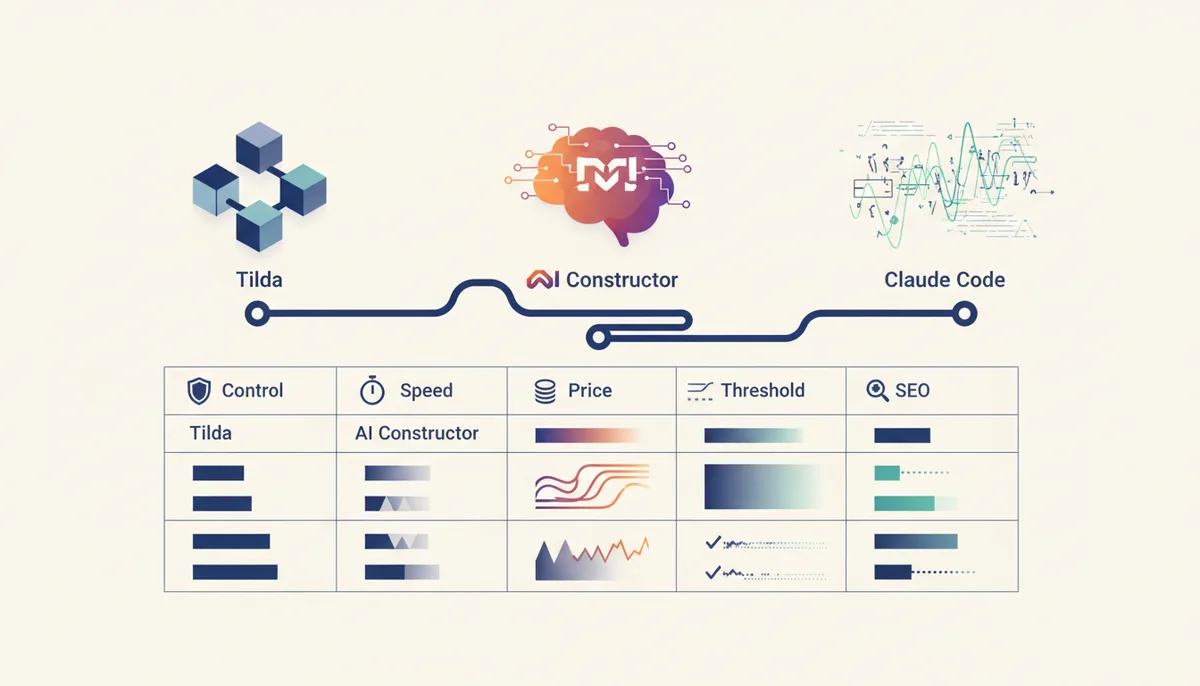
There are three different ways to build a website in 2026, and the choice depends on the job, not on fashion. Tilda is a block-based builder: you assemble a page from ready-made sections with the mouse, the design is predictable, but you work inside its templates. An AI builder (Craftum AI, Wix AI, Framer) generates a site from a text description in minutes — perfect for testing an idea, but control over the code and SEO is limited. Vibe coding through Claude Code or Cursor builds the site in real code: maximum control, clean HTML, any SEO markup you like, but a higher barrier to entry. In one line: a quick offer test — an AI generator; a standard landing page built by a non-technical person — Tilda; a project that will grow and needs to rank — code. Below, a comparison table and a breakdown of when each fits.
What is Tilda and what is "a site made by AI"?
Let's sort out the terms, because they often get mixed up.
Tilda is a block-based website builder: you assemble a page from ready-made sections (cover, gallery, contact form) by dragging, with no code. Tilda now has its own AI assistant that sketches out structure and copy, so "Tilda versus AI" is no longer a strict opposition.
An AI website builder is a service that generates the structure, copy and design of a whole page from a short business description. You answer a few questions and get a finished draft.
Vibe coding is building a site in natural language: you state the task to an AI assistant (Claude Code, Cursor) and it writes the project's real code. More detail in our breakdown of what vibe coding is.
The key difference is what you end up holding. With a builder, a page inside a platform. With code, files you can host anywhere and extend without limits.
Tilda: when a block builder is the right choice
Tilda is strong where you need a tidy, standard site without a developer. Ready-made blocks cover most landing-page needs, the design comes out neat even for a beginner, and the editor makes sense without training. There are integrations with CRMs, forms and analytics, which is usually enough for a promo page.
Prices as of July 2026: the Personal plan is 750 ₽/month or 6 000 ₽/year, Business is 1 250 ₽/month or 12 000 ₽/year; there's a free starter plan to get acquainted. Payment from Russia goes through in rubles with cards from a number of banks, and companies can pay for an annual Business plan by invoice — so the service is legally available, with no workarounds.
The limits are equally honest: you're inside Tilda's ecosystem. Deeply overriding the markup, behavior or URL structure is hard; fine-grained SEO tuning runs into the platform's capabilities; and if you leave, you can't move the project over as-is. For a business card site, a promo page or an event, that's not a problem. For a growing product, it's a ceiling you'll hit sooner or later.
AI builders: fast, but whose control?
Generative builders are the fastest way to see a site: describe the idea and a draft exists minutes later. That's great for testing a hypothesis or an MVP. How it works and which services exist is covered in our reviews building a site with AI and a landing page with AI.
There's an access nuance for Russia here as of July 2026. Russian services — Craftum AI, for example (listed in the national software registry, ruble payments, domain, SSL, hosting and basic SEO tools) — work directly and legally. Foreign options like Framer, Wix and v0 often don't open from Russia, and payment with foreign cards fails — meaning they require workarounds we don't recommend. Practical takeaway: from Russia it's simpler to take a Russian AI builder or the code route.
The general downside of generators is the same as Tilda's, only sharper: the generated code is often heavy and suboptimal, and the depth of edits and SEO is capped by the platform. We keep an up-to-date roundup of services in AI tools for building websites in 2026.
Vibe coding: a site in code via Claude Code or Cursor
The third route is to build the site in real code, but with AI doing the typing. You describe what you need, the assistant generates HTML/CSS/JS, and you make corrections in words, changing one thing at a time for a predictable result. As of July 2026, Cursor 3.0 (April 2026) added parallel agents and a Design Mode for UI, while the VS Code + Claude Code combination is popular with people who care about control over the codebase. What to pick is compared in vibe coding tools in 2026 and the guide how to use Cursor.
Upsides: you hold clean semantic HTML (header, main, section, footer), correct titles and descriptions, any Schema markup, full control over speed and URL structure — everything that directly affects SEO. The site isn't tied to a platform: host it anywhere, extend it endlessly, own the files.
The downside is a higher entry barrier: you need to understand how the project is put together and how to deploy it. That's exactly the barrier a ready-made engine removes: Quest by qvib.pro (/engine/) gives you a project skeleton for Claude Code and Cursor — structure, rules and prompts — so you start the code route from something other than a blank screen. For 4 900 ₽ (the engine) plus modules at 1 900 ₽ each, you get a foundation instead of assembling one from scratch.
Comparison: control, speed, price, barrier, SEO
| Criterion | Tilda | AI builder | Vibe coding (Claude Code/Cursor) |
|---|---|---|---|
| Control over the code | Limited | Minimal | Full |
| Time to first launch | Hours | Minutes | Hours to days |
| Entry barrier | Low | Very low | Medium |
| SEO control | Within the platform | Weak | Maximum |
| Ownership and portability | Inside Tilda | Inside the service | Your own files, any hosting |
| Cost from Russia (July 2026) | 750–1 250 ₽/month | In rubles (Russian services) | AI subscription + hosting |
| Who it suits | A non-technical person building a standard site | A quick idea test | A growing project built for SEO |
The table isn't about "what's better overall" but about "what fits which job".
What to choose for your task
The guideline is simple. Need to test an offer in one evening or show a client an MVP — take an AI generator (from Russia, a Russian one). Need a tidy landing page or business card site with no developer available — Tilda handles that reliably and predictably. The project will grow and speed, clean SEO and platform independence matter — go the code route through Claude Code or Cursor, and take a ready-made engine so you don't start from zero. The /learn/ hub with the qvib knowledge base helps you get your bearings in the approaches and terminology.
The approaches aren't mutually exclusive: many start on a builder for speed and move to their own code once demand is confirmed, for SEO and control. Just understand in advance that leaving a platform almost always means rebuilding rather than migrating. A common mistake is picking a tool by hype instead of by the project's horizon: a one-page business card site isn't worth a week of coding, and a future product shouldn't be locked into someone else's platform you can't get out of later.
FAQ
Which is cheaper — Tilda or a site made by AI?
At the start they're comparable. Tilda as of July 2026 starts at 750 ₽/month; Russian AI builders have a free entry point and ruble plans. The code route requires an AI assistant subscription, but hosting a static site can be nearly free, and the site stays yours forever — with no monthly platform rent.
Can you do good SEO on Tilda or an AI builder?
The basics, yes: meta tags, headings and image alt text are available. But fine technical optimization — load speed, Schema markup, URL structure — runs into the platform's capabilities. Only your own code gives maximum SEO control.
Do you need to know how to program for vibe coding?
Writing code by hand, no — you work in words. But understanding the project structure and deployment helps. A ready-made skeleton like the Quest engine (/engine/) lowers that barrier by taking on the starting architecture and rules.
Are foreign builders available from Russia in 2026?
As of July 2026, Framer, Wix and v0 are often unavailable from Russia, and payment with foreign cards fails. We don't recommend workarounds — legally it's simpler to take a Russian AI builder or the code route with Claude Code or Cursor.