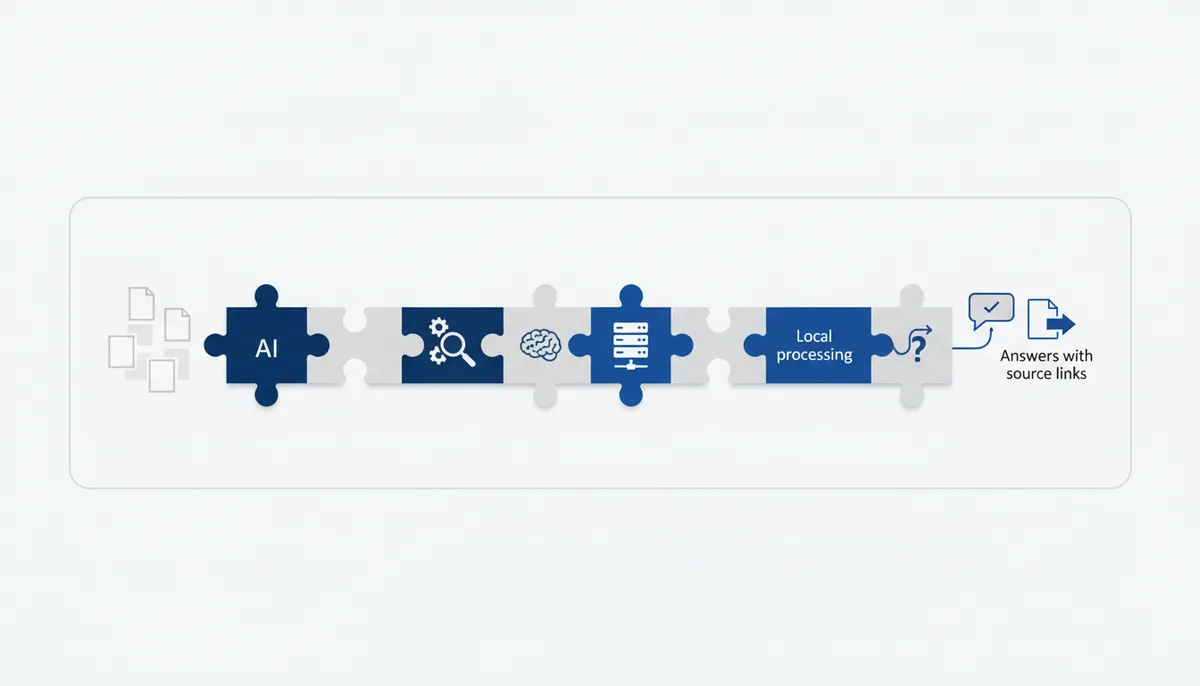
A ready-made setup: a personal AI that knows your files and answers offline. You drop in PDFs, notes, contracts, a knowledge base — you ask in plain language — you get an answer with a quote and a pointer to the specific document. Not a single byte goes to the cloud.
What you end up with
- A local "second brain": you ask a question and the AI looks for the answer in YOUR files, not on the internet.
- Answers with sources: you can see which document and which passage it came from (rather than a hallucination).
- Full privacy: contracts, notes and client data stay on your machine.
- It works with no internet and no subscriptions — the model and the index run locally.
What you'll need
Tools from the library (by name): Ollama (a local LLM plus an embedding model), the combo "Local / private" (how to stand up an offline stack), the Filesystem MCP (giving the assistant access to your folder of files), the Context7 MCP (current library docs, optional). The RAG scaffolding itself comes from AnythingLLM/Open WebUI/LM Studio (desktop wrappers around Ollama with "chat with your documents"). Accounts/money/hardware:
- Money: $0 for software (all open-source/free). The cost is hardware.
- Hardware: a GPU with 8–16+ GB of VRAM (NVIDIA) or Apple Silicon with 16–32+ GB of RAM. Disk: 10–50 GB for models plus the index. More memory means longer context and a bigger model.
Step by step
- The local model. Tool: Ollama. What to do: stand up an LLM and an embedding model (embeddings are what let you search by meaning):
ollama pull qwen2.5            # the language model (answers questions)
ollama pull nomic-embed-text  # embeddings (search your files by meaning)
How you know it worked: both models downloaded (ollama list) and the LLM answers in the terminal offline.
2. A shell with "chat over files". Tool: AnythingLLM or Open WebUI or LM Studio. What to do: install the desktop app and pick Ollama as the provider in the settings (endpoint http://localhost:11434) — for both answers and embeddings. How you know it worked: the app sees your local models and a test question gets an answer from the local LLM.
3. Loading files (indexing). What to do: create a "workspace" and drop your documents into it (PDF/DOCX/MD/TXT). The app will split them into chunks and build a vector index by itself. How you know it worked: the files show up as processed/indexed with no parsing errors.
4. Access to a live folder (optional). Tool: the Filesystem MCP. What to do: if you want the assistant to read a folder directly (rather than only what you uploaded), connect the Filesystem MCP to that directory. How you know it worked: the assistant lists the real files in the folder on request.
5. Questions with a source citation. What to do: ask in plain language and demand a quote. Ready-made prompt:
Answer the question ONLY on the basis of my documents. Question: "<question>".
If the answer isn't in the documents, say so — don't make anything up.
At the end, give the source: the file name and a short quote the answer came from.
How you know it worked: the answer rests on your files and names the source file; when it doesn't know, it says so honestly instead of inventing. 6. Privacy check. What to do: turn off the internet and ask a question. How you know it worked: everything still works offline — which means your data is guaranteed to go nowhere.
Free route vs fast (paid)
This setup is free as software — you pay in hardware and time. If privacy isn't critical for your task, cloud RAG (ChatGPT with files / NotebookLM) will be faster and smarter out of the box.
| Aspect | Local (private) | Cloud (faster, NOT private) |
|---|---|---|
| Model | Ollama (qwen2.5 / llama3.2) | a top-tier cloud LLM |
| Embeddings | nomic-embed-text locally | cloud embeddings |
| Quality on hard questions | lower, but private | higher, but the data leaves |
| Price | $0 software + hardware | subscription/tokens, no hardware of your own |
People choose local RAG precisely for privacy (contracts, NDAs, personal material). For non-confidential material, the cloud is more convenient. A hybrid works: confidential stuff locally, everything else in the cloud.
Common problems and fixes
- The AI makes things up or answers from outside your files. Insist firmly on "only from the documents, otherwise say you didn't find it" (step 5); check that the files actually got indexed.
- It struggles to find the right passage. Use a dedicated embedding model (nomic-embed-text) rather than a bare LLM; split the documents into smaller chunks; ask more specific questions.
- Not enough VRAM / "out of memory". Take a smaller or quantized model (Q4); reduce the context size; close other applications.
- A scanned PDF won't read. Run the scan through OCR before uploading — otherwise all the index gets is "an image with no text".
- Slow answers. That's normal on local hardware; a smaller model or context, or a beefier GPU/Apple Silicon, will speed it up.
Time and money
- Setup time: 30–60 minutes (Ollama + 2 models + the shell + the first indexing run); downloading the models depends on your connection.
- Money: $0 for software. The real cost is hardware: anywhere from "I already have a suitable PC/Mac" (free) to buying a GPU.
- Honestly: the price of privacy is hardware and patience, and local models are weaker than the top cloud ones. In exchange, your documents physically never leave the machine.