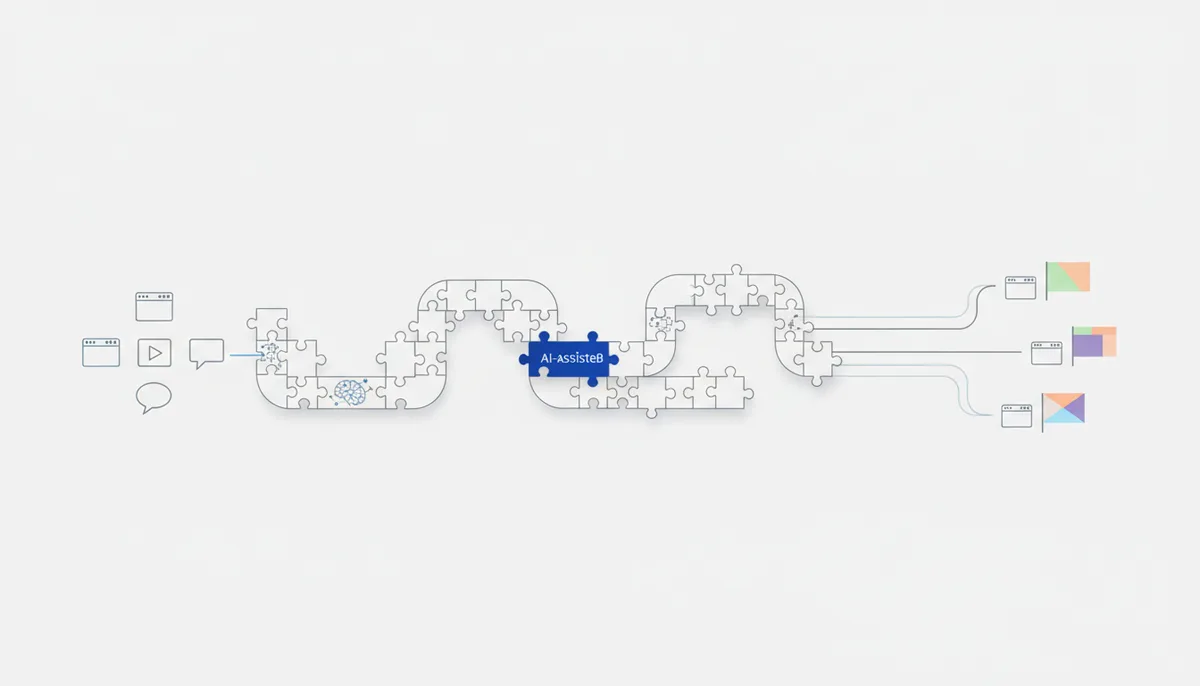
A ready-made setup: one piece of content → many languages, and it sounds local in every one. The AI translates while preserving tone, terminology and cultural context (rather than word for word), video gets re-dubbed with synced lips, and images with text on them get rebuilt. One English video becomes 10 localized ones without reshooting.
What you end up with
- Translated text (site/posts/emails) that reads as if a native speaker wrote it, not Google Translate.
- A single glossary of terms and tone — your brand sounds the same in every language.
- Video re-dubbed into another language with lip sync (HeyGen dubbing).
- Localized graphics (text on images rebuilt for the language).
- A repeatable process: new content gets localized against the same glossary.
What you'll need
Tools from the library (by name): ChatGPT/Claude/Gemini (translating with tone and context intact), the prompt "Translation preserving tone and context", the prompt "Few-shot: teach the AI from 2–3 examples" (setting the style from a reference translation), HeyGen (re-dubbing video into another language with lip sync), ElevenLabs or Fish Audio (OpenAudio) (a voice in the target language for audio/podcasts), Ideogram/Nano Banana Pro/Recraft (rebuilding images with text for the language). Accounts/money/hardware:
- Free route: ChatGPT/Claude/Gemini (free) for text, Ideogram free for graphics; any PC.
- Fast route: a paid model (longer context, more consistent terminology), HeyGen (video dubbing, free tier → from about $24/month), ElevenLabs (about $5–22/month) for multilingual voice.
Step by step
- Glossary and tone. What to do: write out 10–30 key terms and names, decide what does NOT get translated (brand, product names) and what tone you're holding. How you know it worked: you have a "term → translation / leave as is" list and one sentence describing the tone (e.g. "friendly, informal").
- Translation that keeps the tone. Tool: the prompt "Translation preserving tone and context" in ChatGPT/Claude/Gemini. Ready-made prompt:
Translate the text into <language>. This isn't a word-for-word translation, it's localization: preserve the MEANING, TONE and impression.
TEXT: "<paste>". TONE: <which>. AUDIENCE: <who, which country>.
GLOSSARY (follow it strictly): <term → translation; what to leave as is>.
Rules: adapt idioms and examples to the local culture (don't translate them literally);
units, currencies and date formats go to the locale; don't translate proper names or the brand.
Wherever something is culturally ambiguous, propose an option and flag it.
How you know it worked: the text sounds natural to a native speaker, idioms are adapted (not calqued), and glossary terms are respected. 3. Consistent style from a sample. Tool: the "Few-shot" prompt. What to do: give it one or two reference paragraphs of translation as a sample and ask it to translate the rest "in the same style". How you know it worked: the tone doesn't jump between chunks and the terminology is consistent. 4. Video dubbing. Tool: HeyGen. What to do: upload the video → pick the language → get a re-dub with synced lips (or build an avatar reading the translated script). How you know it worked: the lips match the new track, the translation sounds natural, and the meaning is intact. 5. Audio/podcast in another language. Tool: ElevenLabs or Fish Audio (OpenAudio). What to do: narrate the translated text with a voice in the target language (for a podcast or audio version). How you know it worked: the pronunciation and intonation sound natural, with no misplaced stresses. 6. Graphics and final proofread. Tool: Ideogram/Nano Banana Pro (text on images) plus a native reader for anything important. What to do: rebuild banners and covers with the translated text; have a native speaker read your key material. How you know it worked: there's no mangled text on the images and a native speaker doesn't trip over the phrasing.
Free route vs fast (paid)
| Step | Free route | Fast (paid) |
|---|---|---|
| Text | ChatGPT/Claude/Gemini free | top-tier model (terminology, long context) |
| Video dubbing | by hand (subtitles instead of voiceover) | HeyGen (lip sync, from ~$24/mo) |
| Voice | free TTS (Fish Audio locally) | ElevenLabs (multilingual, natural) |
| Graphics | Ideogram free | Nano Banana Pro / Recraft |
Text really can be localized for free — modern models translate with tone far better than old translation engines. You need the paid tools (HeyGen/ElevenLabs) for video and audio in another language without reshooting. A glossary and a native-speaker proofread matter more than any tool.
Common problems and fixes
- The translation is literal and sounds foreign. Ask for localization (adapting idioms and examples to the culture), not a word-for-word rendering; give it context (country, audience).
- Terms get translated differently each time. Keep a glossary (step 1) and pass it in with every request; for long texts, work from a few-shot reference.
- The machine missed the brand tone. Give it one or two reference translations as samples and describe the tone explicitly; double-check formality level and register.
- The lips don't match the dub. Use HeyGen dubbing (that's exactly what it's built for); clean source audio without music gives the best sync.
- Legally or culturally inappropriate phrasing. Flag ambiguous spots for review; anything critical (legal, medical, advertising) has to go to a native speaker.
Time and money
- Time: text — minutes per page (plus 30–60 minutes once for the glossary); dubbing a video — 10–30 minutes; the native proofread is on top.
- Money: free for text (ChatGPT/Claude/Gemini free) or about $5–40/month for HeyGen + ElevenLabs for video and audio in other languages.
- Honestly: AI localization is strong, but it does NOT replace a final native-speaker proofread on important material — the machine can miss a nuance, a register or a cultural reference. For a landing page or an ad, that matters.