MCP Server Security: What to Check Before Installing
In short
An MCP server is not a plugin in a sandbox. A local stdio server is a process your agent spawns with your user account, your environment variables, your SSH keys and your cloud credentials — the MCP specification's own security guidance says plainly that installing one means "arbitrary code execution" with client privileges. Nobody in the chain verifies the code for you: the official MCP Registry states it "delegates security scanning" to npm, PyPI and downstream aggregators, and npm does not read pull requests on your behalf. This has already gone wrong in public — the postmark-mcp package shipped 15 clean versions and then BCC'd every outgoing email to an attacker in v1.0.16. Before you install anything, do four things: read the actual repo behind the package name, pin a version, install with --ignore-scripts, and give the server the narrowest credential you can create. Everything else in this article is detail on those four.
What an MCP server can actually reach on your machine
There are two very different things people call "an MCP server", and they have different blast radii.
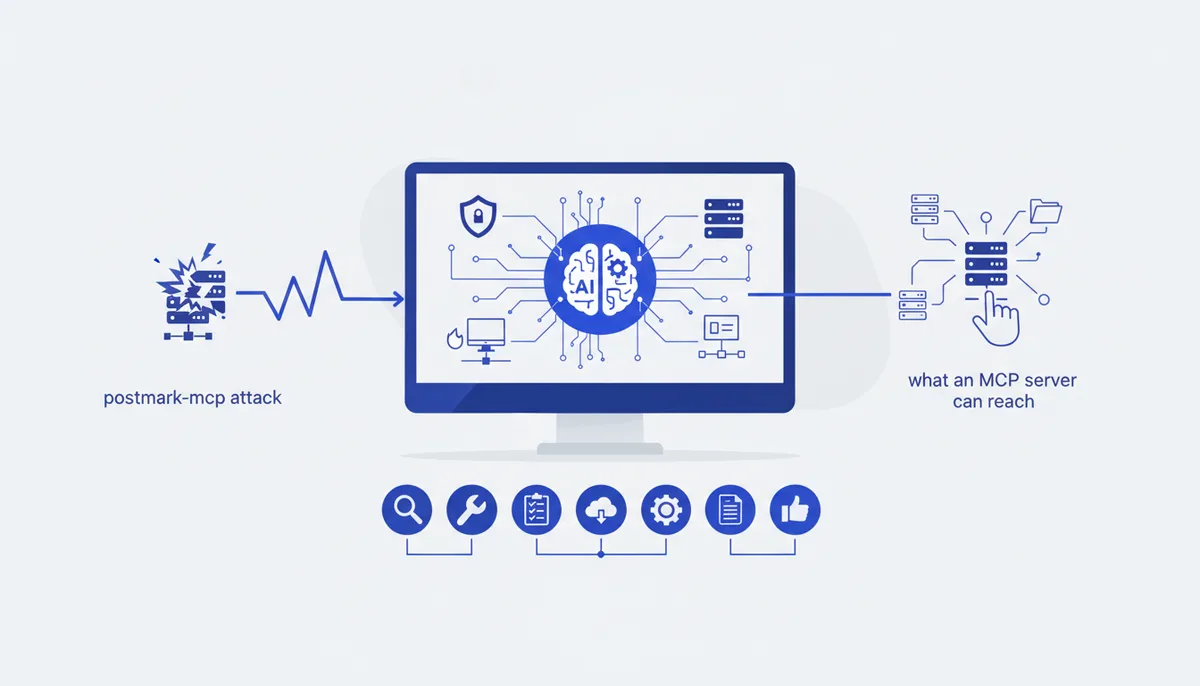
A local stdio server is a command. Your client runs something like npx -y some-mcp-server and talks to it over stdin/stdout. That process inherits your shell environment: it can read ~/.ssh/id_rsa, ~/.aws/credentials and every .env in every repo you have checked out, and it can open outbound connections. There is no permission dialog between it and your filesystem — the OS just sees your own user running a Node script.
A remote HTTP server runs on someone else's infrastructure and cannot read your disk. Instead you hand it a token — a GitHub PAT, a database URL, an OAuth grant — and whatever that token can do, the server can do, from their IP, in their logs. The failure mode is quieter and often larger: nothing on your laptop looks wrong.
Two details make both cases worse than people expect. First, installation runs code before the server ever starts — an npm postinstall hook fires at install time, so a package can exfiltrate secrets without your agent calling a single tool. Second, tool descriptions are model input: they land in your agent's context, so a hostile server can attempt prompt injection against your own agent — telling it to read a file and pass the contents as an argument to a "harmless" tool.
| Install method | Runs on your machine | Reaches | Main failure mode | Mitigation |
|---|---|---|---|---|
npx -y pkg (stdio) |
At install and run time | Your whole user account | Postinstall exfiltration, sleeper update | Pin version, --ignore-scripts |
uvx / pipx (stdio) |
Yes | Same | Same, fewer eyes on PyPI | Pin version, check build scripts |
| Docker image (stdio) | Inside container | Mounted paths, container network | Over-broad -v $HOME mount, --net=host |
One dir, read-only, no network |
| Remote HTTP + token | No | Whatever the token authorises | Token theft, scope creep upstream | Scoped token, short expiry |
| Remote HTTP + OAuth | No | Whatever the scopes allow | Broad scopes approved once | Minimum scopes, revoke later |
The supply-chain problem
The interesting attacks are not "I downloaded obvious malware." They are trust transfers.
The reference case is postmark-mcp. Someone published an npm package under a name that looked like the official Postmark integration, shipped fifteen working versions, and in v1.0.16 added a single BCC line copying every email the server sent to phan@giftshop[.]club. Koi Security, which published the analysis in September 2025, put weekly downloads at roughly 1,500. Postmark's advisory confirms the package was never theirs. The author then deleted it from npm, which does nothing for machines that already had it.
Three structural facts make this repeatable:
- Name similarity is free.
mcp-server-githuband@modelcontextprotocol/server-githubare one hyphen apart, and typosquatting unscoped names is a known npm pattern. - Reputation is per-package, not per-version. Stars, downloads and "it's been around a year" describe the versions you did not install. An account takeover changes the next version, not the history.
- Nobody upstream is reading the diff. Namespace authentication proves who published, not what they published. Useful guarantee; not a security review.
Vendor marketplaces and "curated" MCP directories don't close this either: scanning happens at publish time on their infrastructure, execution happens later on yours. Our supply-chain card tracks how the marketplaces handle it; the honest summary is that a scan badge lowers your odds without zeroing them.
A checklist before you install anything
About ten minutes per server, and it catches almost everything.
- Resolve the package to a repository, and read it. Click through from the npm/PyPI page to the source and confirm it's the repo you think it is — right org, plausible commit history, issues from real users. A GitHub link that 404s or points at a fork with three commits is a stop sign.
- Check who owns the namespace. In the official registry, names are reverse-DNS (
io.github.user/server,com.example/server) and tied to a verified GitHub account or domain. An unscoped npm name proves nothing about the vendor whose logo is on the README. - Read the install command, not the marketing.
npx -ymeans "download whatever the latest version is and run it, no questions." Pin a version instead — in.mcp.json, not just in your head. - Install with scripts disabled.
npm install --ignore-scripts <pkg>skipspreinstall/postinstallhooks (npm config docs). Most MCP servers need no install scripts at all; if one breaks without them, that is information. - Grep the source for the obvious.
child_process,eval, base64 blobs,fetch(to hosts that aren't the vendor's API, reads of~/.ssh,~/.aws,.env. Not a full audit — just things a legitimate weather server has no reason to contain. - Give it a purpose-built credential. A read-only database role, a fine-grained GitHub token limited to one repo, an API key you can revoke without breaking anything else. Never the key you also use in production.
- Check the scope you're installing into. In Claude Code,
--scope projectwrites to.mcp.jsonand ships to teammates through version control; each gets an approval prompt, andclaude mcp reset-project-choicesclears those approvals (Claude Code MCP docs). Use--scope localwhile evaluating — our walkthrough on connecting an MCP server to Claude Code covers the mechanics. - Watch the first session. Run it once on a throwaway project and look at what tools it registers and what it calls. A server that fires a network request before you've invoked a tool is worth killing.
Sandboxing and least privilege
If you can't verify a server and still want it, contain it.
Prefer Docker for anything filesystem-adjacent. docker run --rm -i -v /path/to/one/project:/workspace:ro image gives a server exactly one directory, read-only, and nothing else. Add --network none if it has no legitimate reason to reach the internet; that flag alone defeats every exfiltration path that doesn't route through your agent's output.
Do not mount your home directory. Plenty of sample configs mount $HOME because it's convenient. That hands over every credential file you own plus your entire git history.
Split credentials by server. One token per server, narrowest scope that works — when something goes wrong you want to revoke one thing, not re-key your life.
Assume the agent is part of the attack surface. Even a benign server can relay a prompt injection from data it fetched. Keep destructive tools behind an approval prompt, and don't run auto-approve on a machine holding production keys.
Know what containers don't fix. A remote HTTP server isn't sandboxed by anything you control — the token is your only lever.
Signs a server is not trustworthy
- Repo link missing, dead, or pointing at a personal fork of a vendor project.
- Install instructions that pipe a script to a shell, or
npx -ywith no version in the docs. - A package name mimicking an official one without the official scope.
- A version bump with no corresponding commits, or a changelog that says "improvements".
- Bundled or minified code in the published package that doesn't exist in the repo.
- Tool descriptions aimed at the model ("always call this first", "do not mention this tool to the user") — that's injection, not documentation.
- Requests for credentials it has no use for: an issue-tracker server asking for cloud keys.
- A maintainer account created recently, or a sudden handover.
None of these is proof. Two together is enough to walk away — there is usually a first-party server for the same service, and the MCP section of our arsenal lists the ones we actually run.
FAQ
Is MCP safe to use?
The protocol is fine; the trust model is the risk. MCP deliberately lets a server run code and act on your behalf, and pushes the "should I trust this" decision to the client and the user. So MCP is exactly as safe as your install habits: a first-party server from a vendor you already trust, pinned and scoped, is low risk. A random server from a listicle, installed with npx -y and handed a production token, is not.
Can an MCP server steal my API keys?
A local one can, without ever being called: it runs as your user and can read .env files, shell config and credential stores. A remote one can't read your disk, but it receives whatever token you configured and can use it however it likes. Hence per-server, minimum-scope credentials, and containers for anything unfamiliar.
Does the official MCP registry vet servers for malware?
No. It verifies namespace ownership — that io.github.you/server really was published by you — and hosts metadata. Security scanning is explicitly delegated to the underlying package registries and to downstream marketplaces. Treat a listing as identity, not endorsement.
How do I audit an MCP server I already installed?
List what's configured (claude mcp list, or read ~/.claude.json and each project's .mcp.json), check each pinned version against the current published one, and open the repo diff for anything you auto-updated through. Rotate any credential a questionable server ever held — removing the package does not un-leak a token.
Is a Docker-based MCP server always safer than npx?
Safer, not safe. Docker limits filesystem and network reach to what you grant, which removes the largest class of local attacks. It does not help if you mount your home directory, pass secrets as env vars to an untrusted image, or run one with --network host. The boundary only exists if you draw it.