Obsidian as a Knowledge Base for Your AI Agent
In short
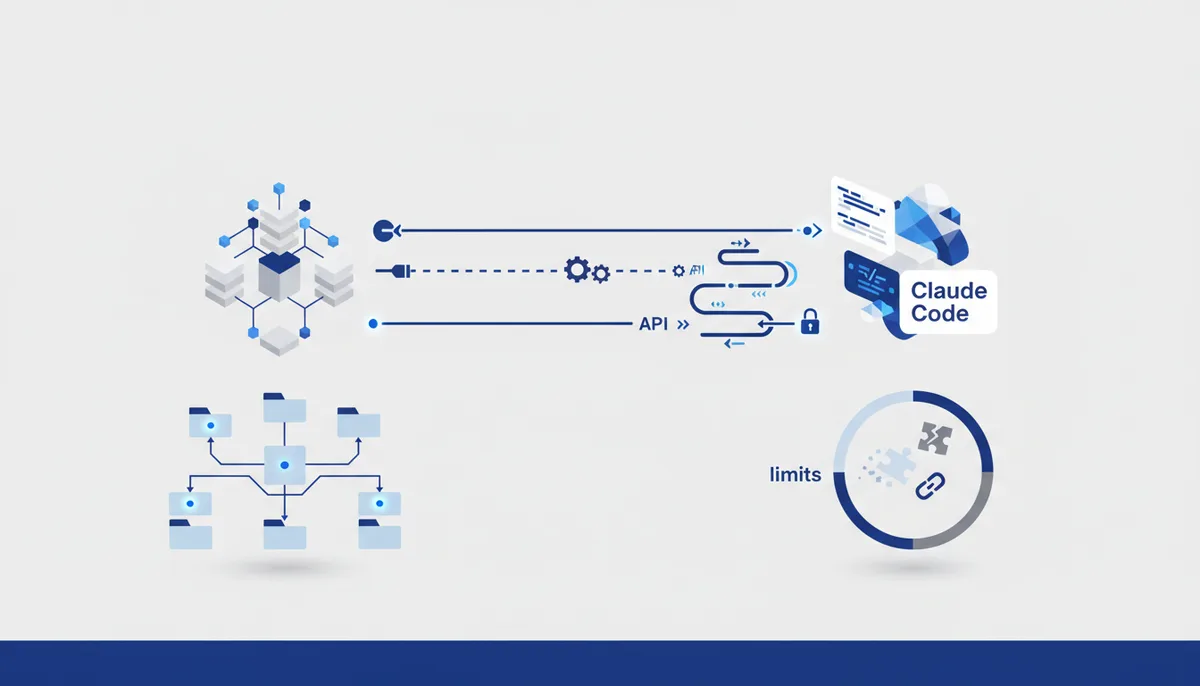
An Obsidian vault is a folder of markdown files. That is the whole reason it works well as an agent knowledge base: your agent already knows how to read folders and grep text, so no embedding pipeline is required. There are three practical ways to connect one. Point Claude Code straight at the vault directory with --add-dir — zero setup, works today. Run the filesystem MCP server scoped to the vault, which gives any MCP client the same access with explicit allow-listed directories. Or install the Local REST API plugin plus mcp-obsidian, which is the only option that reads through Obsidian itself and therefore sees the plugin layer. What actually decides whether this is useful is not the connector — it is your folder structure, your frontmatter discipline, and whether you delete notes. A vault of 4,000 half-finished notes makes agent answers worse, not better. Obsidian is free for personal use; commercial use costs $50 per user per year as of July 2026.
Why plain markdown beats a vector database here
The default assumption is that "knowledge base for an AI" means chunking, embedding, and a vector store. For a personal vault, that is usually the wrong tool.
A coding agent has a filesystem. It lists directories, reads files whole, and runs rg across thousands of notes in under a second. That combination beats top-k semantic retrieval on the thing you actually care about: getting the whole note, not three paragraphs of it.
Semantic search shines when you don't know the vocabulary of your own corpus. In your own vault you wrote the vocabulary. A rg -l "pgbouncer" finds postgres-connection-pooling.md deterministically; an embedding search returns it with a similarity score and four unrelated neighbours.
The other advantage is boring and decisive: no index to rebuild. Edit a note in a vector-backed system and something has to re-embed it, or retrieval quietly goes stale. With files, the agent reads the current bytes.
Vectors do earn their keep once the corpus is large, cross-lingual, or written by other people — that is a different problem, and our local RAG guide covers it. For a vault you personally wrote and maintain, files first.
Three ways to wire a vault to an agent
| Approach | Setup | Obsidian must be running | Write access | Best for |
|---|---|---|---|---|
claude --add-dir ~/vault |
None | No | Yes, via normal file tools | Daily coding work where the vault is reference material |
| Filesystem MCP server scoped to the vault | One MCP config entry | No | Yes, within allow-listed dirs | Any MCP client (Claude Desktop, other agents), explicit directory boundaries |
| Local REST API plugin + mcp-obsidian | Plugin, API key, MCP config | Yes | Yes, through Obsidian's own API | Workflows that need Obsidian's link/plugin layer, or a vault on a synced device |
Start with --add-dir. Claude Code takes additional directories on the command line, and by default it does not load CLAUDE.md files from them — you opt in with CLAUDE_CODE_ADDITIONAL_DIRECTORIES_CLAUDE_MD=1, per the memory docs. That default is a feature: your vault stays data, not instructions.
The filesystem MCP server exposes roughly sixteen tools (read, write, move, search, tree, metadata) and needs at least one allowed directory at launch, given as a CLI argument or through the MCP roots protocol. When the client supports roots, they replace the server-side allow list entirely — worth knowing if you assumed your CLI argument was a hard boundary.
The REST API route is the heaviest and the one tutorials copy most often. The plugin serves HTTPS on port 27124 with a self-signed certificate (plain HTTP on 27123 is opt-in), and every endpoint except the status check requires a bearer token from Settings → Local REST API. mcp-obsidian wraps that with seven tools: list files in vault, list files in a directory, get file contents, search, patch content, append content, delete file. Note the shape of that list — it is append-and-patch oriented, good at adding to notes and mediocre at large refactors.
A folder structure that survives contact with an agent
Most vault-structure advice (PARA, Zettelkasten, Johnny Decimal) optimises for human recall. Agents fail differently. Two rules matter more than which system you pick:
1. The path should carry meaning. An agent decides what to read from the file listing alone. 10-infra/postgres/connection-pooling.md tells it more than notes/2024-03-11-1423.md. If your capture tool generates timestamp filenames, rename them during review, or the agent will open twenty files to find one.
2. Separate what you wrote from what you pasted. Clipped articles, converted PDFs, and LLM summaries are not the same evidence class as your own notes. Keep them in a sources/ tree. Then "prefer notes/, cite sources/ only when asked" is an instruction the agent can actually comply with, because the boundary is a path.
A layout that works:
vault/
  00-inbox/        # unprocessed capture, agent ignores by default
  10-projects/     # one folder per active project
  20-areas/        # ongoing responsibilities
  30-notes/        # your own atomic notes, the good stuff
  40-sources/      # clippings, transcripts, paper notes
  90-archive/      # done, kept for search
  AGENT.md         # how the agent should read this vault
AGENT.md at the vault root is the highest-leverage file in the setup: five to twenty lines saying what each folder means, which to skip, what frontmatter fields exist, how to name a new note. Keep it short — Anthropic's guidance for CLAUDE.md is to stay under 200 lines because longer files reduce adherence, and the same logic applies here.
Frontmatter is the other cheap win. Obsidian properties are just YAML, and consistent type, status, and updated fields turn "find my open questions about billing" into a mechanical filter. The Bases core plugin builds database-like views over those properties and stores them as .base files, which are readable text — so the agent can read your saved views too.
Our Obsidian base setup card has the version of this structure we actually run, and the MCP connection card covers the config file syntax if you go the MCP route.
Keeping the vault from rotting
This is the part every tutorial skips, and the part that decides whether the setup is still useful in six months.
Let the agent write, but only into a quarantine. Give it one folder — 00-inbox/agent/ — where generated notes land, and promote them by hand. Otherwise you get a vault where you can no longer tell which claims you verified.
Timestamp generated content. A generated: 2026-07-28 frontmatter field means that in a year you can find and re-check those notes. Without it, an LLM summary of a deprecated API looks identical to a note you wrote from the docs.
Run a monthly rot pass. Ask the agent to list notes in 30-notes/ untouched for twelve months plus notes whose links resolve to nothing, then delete. A vault grows monotonically unless someone actively removes things, and every stale note is a chance to answer from something no longer true.
Watch context, not file count. Grep scales into tens of thousands of files. What does not scale is an agent reading twenty full notes per question. If that is your normal case, your notes are too granular or your filenames too vague — not a signal that you need embeddings.
Where this setup breaks down
Honest limits, because most write-ups on this topic read like plugin ads:
- Obsidian must be open for the REST API route. No process, no API. On a headless server it is a non-starter; use the filesystem route there.
- Sync conflicts get weird when an agent writes. Obsidian Sync ($4/user/month billed annually, as of July 2026) and iCloud both resolve concurrent edits by creating conflict files. An agent editing a note on your desktop while your phone syncs the old version produces exactly that.
- Commercial use is licensed. The app is free for personal use, but using it for work at a company of two or more people requires a commercial licence at $50 per user per year as of July 2026. Check the pricing page before rolling it out to a team.
- Attachments are opaque. PDFs, images, and spreadsheets are binary; the agent sees filenames. If your knowledge lives in PDFs you need a conversion step — real work no tutorial includes.
- A messy vault gets worse. If your notes contradict each other, the agent confidently surfaces whichever it read first. Connecting an agent amplifies a vault; it does not clean one.
- Delete access is a real risk.
mcp-obsidianexposesdelete_file. Keep the vault in git or approve deletions manually — version control turns an agent mistake into agit checkout.
FAQ
Do I need a vector database to use Obsidian with an AI agent?
No, and for a personal vault you probably shouldn't. Listing directories, grepping, and reading whole files handles most questions about notes you wrote yourself. Vector search earns its setup cost when the corpus is large, written by other people, or in a language you don't search in — not because a vault has a few thousand notes.
Can Claude Code read my Obsidian vault without any plugin?
Yes. Run claude --add-dir ~/path/to/vault and it gets read and write access with its normal file tools — no plugin, no MCP server, no API key. CLAUDE.md files inside the added directory aren't loaded as instructions unless you set CLAUDE_CODE_ADDITIONAL_DIRECTORIES_CLAUDE_MD=1.
Is Obsidian free to use as a work knowledge base?
The app is free for personal use, no account required. Commercial use — a company of two or more people, using it for work — needs a licence at $50 per user per year as of July 2026. Sync and Publish are separate add-ons at $4 per user per month and $8 per site per month on annual billing.
What is the difference between the Local REST API plugin and the filesystem MCP server?
The REST API route talks to a running Obsidian instance, so it sees Obsidian's own view of the vault including plugin behaviour, but needs the app open plus an API key. The filesystem MCP server reads files straight from disk, works with Obsidian closed, and uses explicit allow-listed directories. For most agent workflows the filesystem route is simpler and less fragile.
How do I stop the agent from filling my vault with generated notes?
Give it one writable folder — an agent inbox — and promote notes into your tree by hand. Add a generated: date to everything it writes so you can audit later. Keep the vault in git: that makes it reversible, and the Obsidian MCP server can delete files.