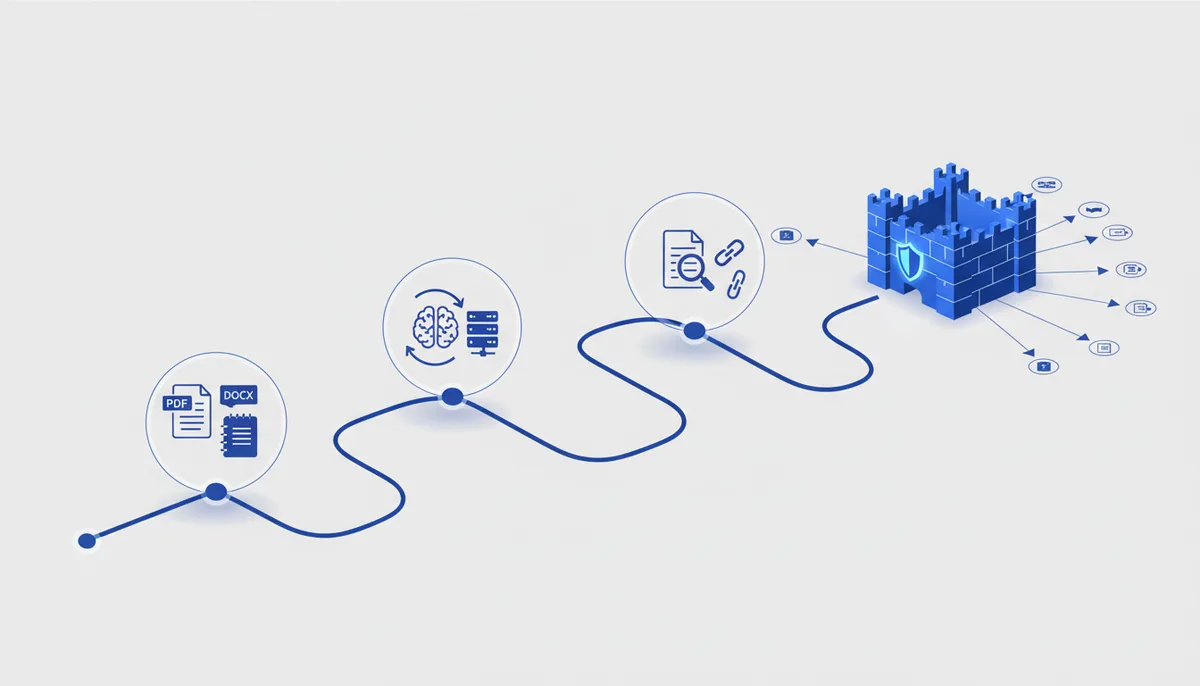
RAG (Retrieval-Augmented Generation) = the AI first FINDS the relevant chunks in your documents, then answers based on them. Locally this gives you privacy (files never leave for the cloud) and offline operation. The Ollama commands are checked against the official
docs.ollama.com; the stack is Ollama + an embedding model + a ready-made RAG tool.
🧭 The whole picture
What you end up with: a local AI that answers questions ABOUT YOUR documents (contracts, handbooks, PDF books, notes, exports) — with a quote and a link to the source, with no internet and with no data leaking outside.
Why RAG instead of just "pasting it into the chat". A regular AI knows the general stuff and lies about the details of your files; and you cannot paste everything into the chat — it will not fit in the context. RAG solves both: the documents are turned once into embeddings (numeric "fingerprints of meaning") and stored in a vector index. For each question the system pulls the 3–5 most relevant chunks and hands them to the model as grounding — hence the accuracy and the source links.
The path has 4 steps: install the engine (Ollama + models) → collect the documents → build the index with a ready-made tool → ask questions and check the sources.
💡 You need TWO models: one answers (chat, e.g.
qwen3/llama3.2), the other produces embeddings for search (nomic-embed-text). A chat model cannot search by meaning — the embedding model is mandatory. 💡 This is the extended sibling of the Obsidian guide: there the focus is on vault notes, here it is on any documents (PDF/docx/txt) and on assembling RAG as a system.
Step 1. Install the engine: Ollama + two models
What we do: install Ollama (running models locally) and pull the answering model and the embedding model. Hardware details are in the "Running a local model" guide.
# install Ollama: macOS/Windows — the installer from ollama.com/download; Linux:
curl -fsSL https://ollama.com/install.sh | sh

# the model for answers (pick one that fits your hardware):
ollama pull qwen3                 # strong multilingual model, good with Russian
# the embedding model (for meaning-based search) — MANDATORY:
ollama pull nomic-embed-text
How to tell it worked:
ollama ls # the list shows both qwen3 and nomic-embed-text
both models are downloaded; ollama --version prints a version; the local server is listening on http://localhost:11434.
Common mistakes:
- You pulled only the chat model → RAG will not build the index. You specifically need an embedding model (
nomic-embed-textormxbai-embed-large). Error: model requires more system memory— the chat model is too heavy for your RAM. Take a lighter one (llama3.2,qwen3:1b); the embedder is small and is not the problem.connection refusedon 11434 later on — the Ollama server is not running (Linux:ollama serve; mac/Win: open the app).
Step 2. Collect the documents in one folder
What we do: put everything you want to ask about into a single folder — that is the "corpus" for the index.
- Create a folder, e.g.
~/rag-docs, and drop the files in:.txt,.md,.pdf,.docx. - Corpus hygiene: meaningful file names (they become the "source" in the answers), reasonable document sizes, remove obvious junk and duplicates.
How to tell it worked: the folder holds the files you need, the names are readable (lease-agreement-2026.pdf, not doc1.pdf); nothing extra and nothing private belonging to someone else that should not end up in the index.
Common mistakes:
- One giant catch-all file → search gets blurry and irrelevant material is dragged into the answer. Several documents by topic work better.
- A scanned PDF with no text layer (page images) → there is nothing to extract. Run OCR (text recognition) first, otherwise RAG simply will not "see" the content.
- Names like
1.pdf,new.docx→ the "source" in the answer is useless. Name files by meaning.
Step 3. Build the index with a ready-made tool
What we do: hand the folder to a ready-made RAG tool — it slices the documents into chunks, computes the embeddings through Ollama and builds the index. Pick ONE path:
Path A — Open WebUI (graphical, the easiest). A "ChatGPT-like" web interface on top of your local Ollama, with RAG out of the box.
# launch via Docker (Docker required; see the server guide):
docker run -d -p 3000:8080 --add-host=host.docker.internal:host-gateway \
  -v open-webui:/app/backend/data --name open-webui ghcr.io/open-webui/open-webui:main
Open http://localhost:3000 → the Workspace → Knowledge section (or Documents) → create a base → upload the files from your folder. In the settings, set the embedding model to nomic-embed-text (Ollama). Now pick that knowledge base in the chat and start asking.
Path B — your own mini-script (LlamaIndex, maximum control). A few lines of Python: reads the folder, embeds locally, answers with a local model.
pip install llama-index llama-index-llms-ollama llama-index-embeddings-ollama
from llama_index.core import VectorStoreIndex, SimpleDirectoryReader, Settings
from llama_index.llms.ollama import Ollama
from llama_index.embeddings.ollama import OllamaEmbedding

Settings.llm = Ollama(model="qwen3", request_timeout=120)
Settings.embed_model = OllamaEmbedding(model_name="nomic-embed-text")

docs = SimpleDirectoryReader("~/rag-docs").load_data()   # reads txt/md/pdf/docx
index = VectorStoreIndex.from_documents(docs)            # builds the index (embeddings)
engine = index.as_query_engine()
resp = engine.query("What is the payment deadline in the lease agreement?")
print(resp)                 # the answer
print(resp.source_nodes)    # which chunks/files it came from — those are your "sources"
How to tell it worked: the tool swallowed the files without errors; a test question returns an answer grounded in a document, and you can see WHICH file it came from. Everything works with no internet.
Common mistakes:
- The embedding model is not set or is the wrong one → index build errors or garbage search results. It must be
nomic-embed-text(or another embedder), not a chat model. pipcannot find the packages / version conflicts → use a venv (python -m venv .venvand activate it), install into a clean environment.- The PDF "read as empty" → it is a scan with no text layer (see Step 2, you need OCR).
- Open WebUI in Docker cannot see Ollama → the host needs
host.docker.internal(the--add-hostflag above) or set the Ollama address explicitly in the settings.
Step 4. Ask questions and check the source
What we do: ask questions and make sure the answer comes FROM the documents rather than being invented.
- Ask specifically: "What does
say about ?", "Pull together everything across all the files that touches , with links." - ALWAYS look at the sources block (
source_nodesin the script / "Citations" in Open WebUI): the answer must rest on a real chunk of a real file. - Added or changed documents → reindex (in Open WebUI re-upload/refresh the base; in the script rebuild the index or enable persistence/updates), otherwise RAG does not see the new material.
How to tell it worked: on a question about a detail that exists only in your files, the AI answers correctly and shows the source; on a question the corpus does not cover, it honestly says "I did not find this in the documents" instead of making something up.
Common mistakes:
- Trusting an answer without checking the source → RAG can also "reach" into the model's general knowledge. Compare it against the quoted chunk.
- You asked, the answer is not in the documents, and the model "invented" one — add "answer only from the documents; if it is not there, say so" to your question.
- You updated the files but did not reindex → stale answers. Reindexing after changes is mandatory.
🧠 For the senior
- Chunking decides everything: split by headings/paragraphs with overlap (200–400 tokens, ~10–15% overlap); put the chunk's origin (file, page/section) into the metadata — that is how you get precise citations. Chunks that are too big drown relevance, chunks that are too small tear the meaning apart.
- Hybrid search: vector (
nomic-embed-text/mxbai-embed-large) + keyword (BM25) is noticeably more accurate on terms, names and part numbers than pure embeddings. Add a reranker for the top-k. - Vector store: for persistence and scale use Chroma/Qdrant/LanceDB instead of in-memory; do incremental reindexing based on file mtime rather than rebuilding everything.
- Answer quality: raise the number of sources (
similarity_top_k), set a system prompt of "answer only from the context, say so if it is not enough"; for long answers use map-reduce over the chunks. - Evaluation: keep a small set of "question → expected document/fact" pairs and run it after every model or chunking change — so you do not degrade silently. Embedder quality and chunking matter more than the size of the chat model.
⚠️ Warnings (privacy / irreversible)
- The whole point of local RAG is privacy: keep everything local. Do not wire cloud embeddings or cloud models into this setup if the documents are sensitive (contracts, personal data, NDAs) — the content goes outside and the privacy is gone.
- Embeddings are not "encrypted". The index folder stores chunks of your text in the clear. It sits on disk → protect it like the documents themselves (access control, disk encryption), and never put the index in a public git repo.
- Third-party code and images are supply chain. Install Open WebUI and the libraries from official sources; a Docker image and pip packages also execute code on your machine.
- Back up the documents. The index is derived data; the files are what matters. Keep a copy of the corpus before any bulk operation (see the "3-2-1 backup" guide).
🆘 Rescue prompt
Help me build a local RAG over my documents with Ollama, explain it step by step.
MY DOCUMENTS: <how many, formats: PDF/docx/txt/notes>. PRIVACY: important, everything stays local.
MY HARDWARE: <OS, RAM, GPU or not>. PATH: <Open WebUI / my own LlamaIndex script / not decided yet>.
I AM STUCK: <what is not working / the error text / the PDF reads as empty / the index will not build>.

What to do:
1) Which Ollama models fit my hardware (chat + embedding) and how to pull them.
2) Give me the exact steps: assemble the folder, build the index with the chosen tool, ask a question.
3) How to verify that the answer comes FROM my documents (with a source link) rather than being invented.
4) Warn me about: keeping everything local (privacy), OCR for scans, reindexing after changes, backing up the files.
💎 Depth and value
- A private expert on your own knowledge. A mountain of PDFs, contracts and handbooks that you could never re-read turns into a conversation partner: you ask, you get an answer with a quote from the right file. And none of it leaves your disk.
- Grounding kills hallucinations. An answer "from the source" is verifiable and trustworthy — that moves the AI out of "confidently making things up" and into "answering from the document". That is exactly what RAG was invented for, and locally you get it with no leak risk.
- A foundation that scales. The same scheme (embeddings → vector search → answer with a source) sits underneath corporate "AI over the knowledge base" products that cost serious money. Once you master it on a laptop, you understand how those systems work — and you can build them yourself, from a personal "second brain" to a support bot over your own documentation.