MCP, Skills and APIs: What's the Difference
In short
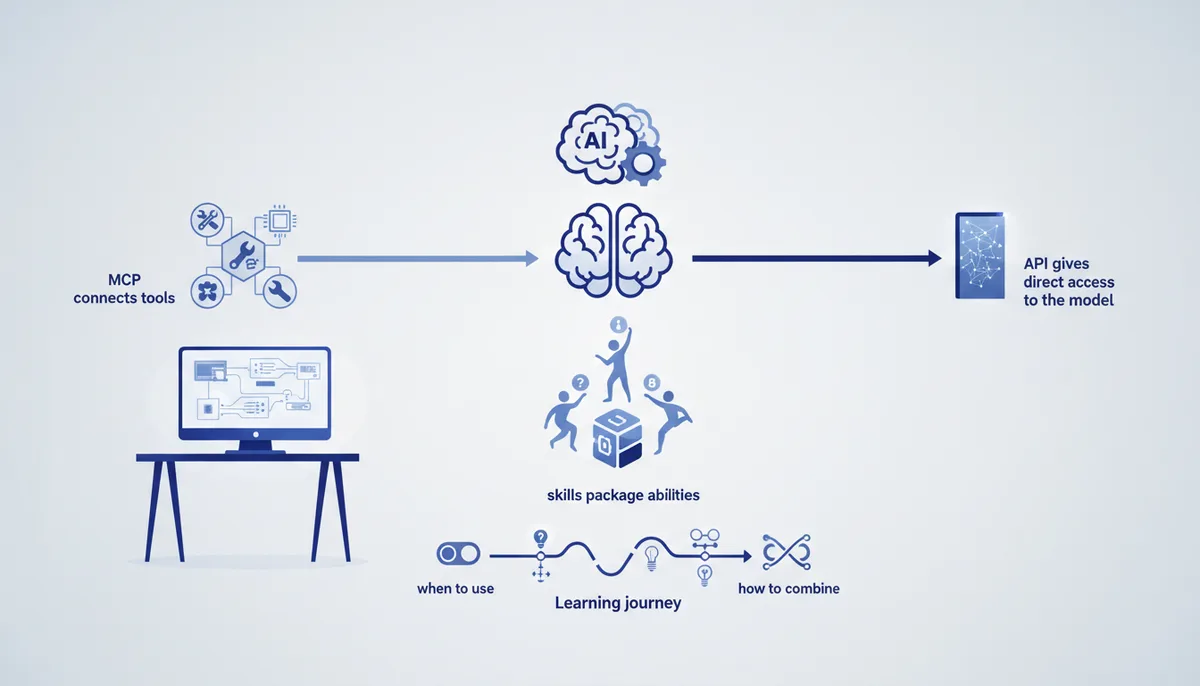
MCP, skills and APIs are three terms that get thrown into the same pile in vibe coding. In reality they operate at different levels and don't replace one another.
- An API is direct programmatic access to the model itself: your program sends a request, gets an answer, and pays for tokens.
- MCP is the protocol an agent uses to connect to external tools and data — a database, GitHub, files, services. It's the agent's hands.
- Skills are packaged know-how: a folder with instructions and files that the model picks up on its own when a task matches.
Even shorter: an API gives you access to the model, MCP gives the model access to your tools, and skills tell the model how to do a specific job. Below: examples, a comparison table, and a breakdown of what to reach for when.
MCP, skills and APIs in plain language
An API (Application Programming Interface) is a way to address the model from code directly, bypassing the web interface. You send a message to the model's endpoint, get an answer, and pay by volume — by tokens in and tokens out. The API is the foundation: chats, agents and every AI feature inside someone else's product are built on it.
MCP (Model Context Protocol) is an open protocol that standardizes how AI applications connect to external data sources and tools. It's often called "USB-C for AI": one connector instead of a dozen bespoke integrations. Anthropic introduced MCP in November 2024; over 2025 it was adopted by OpenAI, Google and Microsoft, and in December 2025 the protocol was handed to an independent foundation under the Linux Foundation — so it's an industry standard now, not one vendor's feature (as of July 2026).
Skills (Agent Skills) are packaged instructions. Technically a skill is a folder containing a SKILL.md file: a short description at the top, detailed steps below, plus scripts and reference files where needed. It works on progressive disclosure: at startup the agent sees only the skill's name and description (tens of tokens) and loads the full instructions only when a task genuinely calls for it. That's why you can keep dozens of skills without bloating the context.
A simple analogy. The API is the wall socket: access to the electricity itself, to the model. MCP is the USB ports and the cables to external devices: the database, the repository, the design files. Skills are the checklist the model takes down off the shelf when it starts a familiar job.
How they differ: a comparison table
| Criterion | MCP | Skills | API |
|---|---|---|---|
| What it is | A protocol for connecting tools and data | Packaged know-how: instructions + files | Direct access to the model from code |
| What it's for | Giving the agent hands: read the DB, reach GitHub and files | Teaching the agent a repeatable process without pasting the prompt again | Embedding the model in your product, paying by token |
| Where it lives | An MCP server + a client (Claude Code, Cursor) | A folder with SKILL.md in the project or agent | HTTP requests to the model's endpoint |
| Example | Connecting Postgres, GitHub, Figma to the agent | A "code review" or "build a Word report" skill | A site chatbot that calls the model |
| Who sets it up | The user or the agent's developer | The skill's author — which can be you | The product's developer |
The key distinction: the API is access to intelligence, MCP is access to data and actions, skills are knowledge of a process. They don't compete; they stack.
MCP: how an agent reaches your data
On its own the model knows nothing about your project: it can't see your database, your repository or your issue tracker. MCP solves exactly that. An MCP server publishes a set of tools and resources ("read a table," "create an issue," "fetch a mockup"), and an MCP client — Claude Code, Cursor, a desktop app — calls them on the agent's behalf.
The payoff is standardization: integrations used to be written by hand for each specific tool, and now one protocol fits all of them. Connect the Postgres MCP server and the agent reads and writes to the database; connect GitHub and it opens issues and reviews diffs. Ready-made servers are collected in MCP servers: what they are and which ones exist, and the step-by-step setup is in the guide on connecting MCP to Claude Code.
Important: MCP doesn't make the model smarter. It widens what the model can reach. A badly described or bloated MCP server does the opposite — it clutters the context and confuses the agent, so connect exactly what the task needs.
Skills: packaging know-how so you stop repeating the prompt
If you catch yourself pasting the same long list of rules into chat for the tenth time ("format commits like this, check tests like that, here's the style"), that's a candidate for a skill. Skills move a repeatable procedure out of the prompt and into a separate reusable package.
The format is simple: a SKILL.md file with a YAML header (name and description) and instructions in the body, with scripts and examples alongside if needed. The base format has become an open standard, understood not only by Claude Code but also by Cursor, OpenAI Codex CLI, Gemini CLI and GitHub Copilot (as of July 2026). Which means one skill carries across agents.
Skills shine wherever repeatability and a single standard matter: code review against your checklist, generating a document from a template, an onboarding procedure in the repo. A detailed breakdown with examples is in the Claude Skills guide. The difference from MCP is simple: MCP hands over the tool, a skill hands over the instructions for using that tool properly.
API: direct access to the model, and paying for it from Russia
You need the API when you're building your own product: a chatbot, an auto-responder for support, a product-description generator. You call the model from code and pay per token — separately for input (your request) and output (the model's answer).
Ballpark prices as of July 2026: smaller models like Claude Haiku charge roughly $1 per million input tokens, larger ones like Claude Opus around $5 per million input; output runs about 5x the input price across generations. Batch processing costs half as much, and prompt caching cuts the cost of repeated input by up to 90%. Check the exact rates and limits before you start — there's a breakdown in Claude Code pricing and payment.
Access from Russia is its own question. As of July 2026 Anthropic does not accept Russian bank cards on claude.ai, and that covers both the subscription and the API. The legal path isn't VPN configuration but aggregators: services like OpenRouter, Bothub and similar provide API access to Claude models, accept Russian cards or cryptocurrency, and are compatible with the official SDK. Many people take out the subscription through the App Store or Google Play. The methods that actually work, minus the myths, are collected in Claude API from Russia.
How MCP, skills and APIs fit together in practice
In real vibe coding they work together, in layers. Take the standard setup in Claude Code or Cursor:
- The API or subscription is access to the model itself, the agent's engine.
- MCP connects the agent to your repository, database and services so it acts instead of only advising.
- Skills define repeatable procedures — how to review, how to commit, how to cut a release.
- Subagents split a large task into roles; how that works is in the piece on Claude Code subagents.
What to pick for a given job:
| Task | What to use |
|---|---|
| The agent needs access to your database, GitHub or files | MCP |
| You keep repeating the same long instruction prompt | Skills |
| You're building your own product or bot on top of a model | API |
| You want a working vibe coding process, not an assembly job from scratch | An engine + the arsenal |
Assembling all of this by hand takes time. The Quest engine for vibe coding ships with the wiring already done: connected MCP servers, a set of skills and subagents for specific roles, so you don't spend weeks on plumbing. The knowledge base and practical breakdowns are in the /learn/ hub, while individual techniques, prompts and MCP servers are covered in the arsenal. Start small: connect one MCP server for your own task, move one repeatable process into a skill, and build up from there.
FAQ
Does MCP replace the API?
No. The API is access to the model itself; MCP is a way to give the model access to your tools and data. An MCP-driven agent still runs on top of a model it reaches through an API or a subscription. These are different layers, not alternatives.
How is a skill different from an ordinary prompt?
You write a prompt from scratch every time. A skill is the same content packaged into a reusable bundle (SKILL.md with scripts and examples) that the agent picks up on its own when a task matches, and that doesn't load into context until it's needed.
Do I need MCP if I'm just writing code in Cursor?
Not necessarily. Plain code generation only needs the model. MCP matters when the agent has to step outside the editor — read your database, reach the tracker, call external services. Start without it and add it when the need shows up.
Can I use all this from Russia?
Yes, legally — through aggregators that provide API access to Claude models and accept Russian cards, and through a subscription bought in the App Store or Google Play (as of July 2026). Anthropic does not accept direct payment with Russian cards on claude.ai. More detail in Claude API from Russia.
Where should I start so I don't get lost?
With one task. Take a repeatable process and move it into a skill. Need access to data — connect one MCP server. Building a product — go to the API. And if you'd rather have the whole setup without assembling it by hand, look at the engine and the material in /learn/.